
Published Aug 19, 2026 · Updated Oct 27, 2026
Disclosure: This is a sponsored review. Digital Sandbox B.V. paid a fee for this editorial assessment. Our verdict and rating are our own.
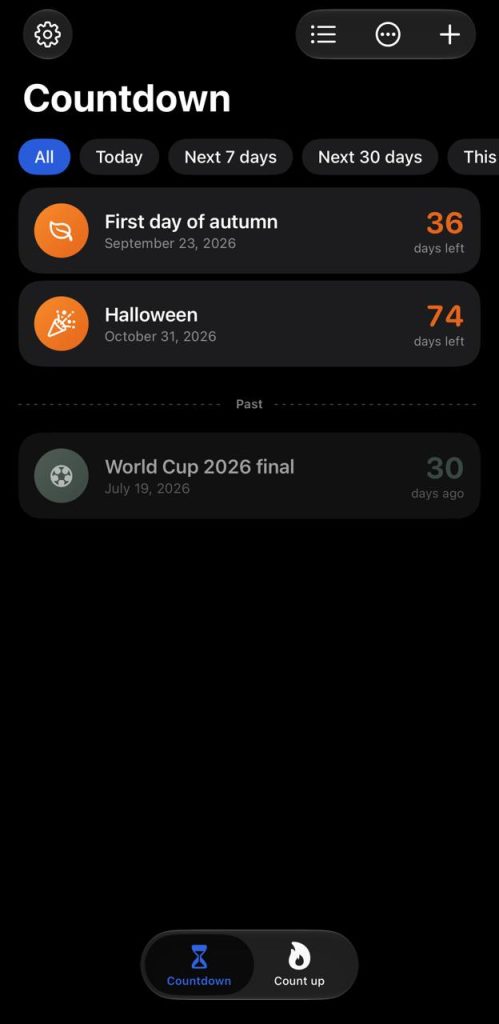
NanoCount is the rare countdown app that puts its best feature in the free tier. It’s a countdown widget for iPhone that handles both countdowns and count-ups, and it gives you the multi-event widget most competitors lock behind a paywall without an account, a subscription, or a single ad. If you have a date you’re counting toward or a streak you’re counting up, this one deserves a spot on your Home Screen.


NanoCount at a glance
- Price: Free, no subscription (Pro: $5.99 one-time)
- Platform: iOS 18+ (iPhone, iPad, Mac, Apple Watch)
- Best for: Counting down to events and tracking streaks
- Standout: Multi-event widget in the free tier
- Our verdict: 4.5 out of 5
Jump to a section
What I Like
The multi-event widget is free
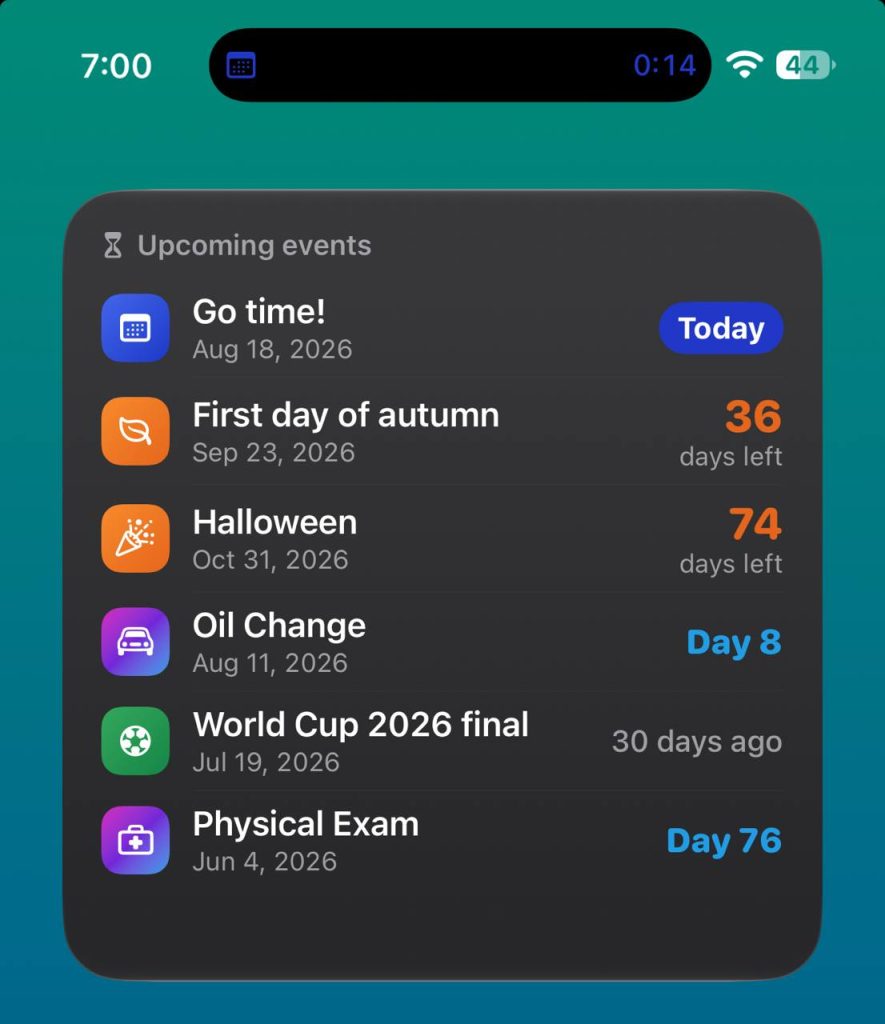
The multi-event widget is the headline feature, and it’s genuinely free. Most countdown apps let you pin a single event to your Home Screen for free and charge for a widget that stacks several side by side. NanoCount shows all your countdowns together in one widget, no subscription required. That one choice is what makes the app worth installing for a lot of people.
Count-up mode doubles as a streak tracker
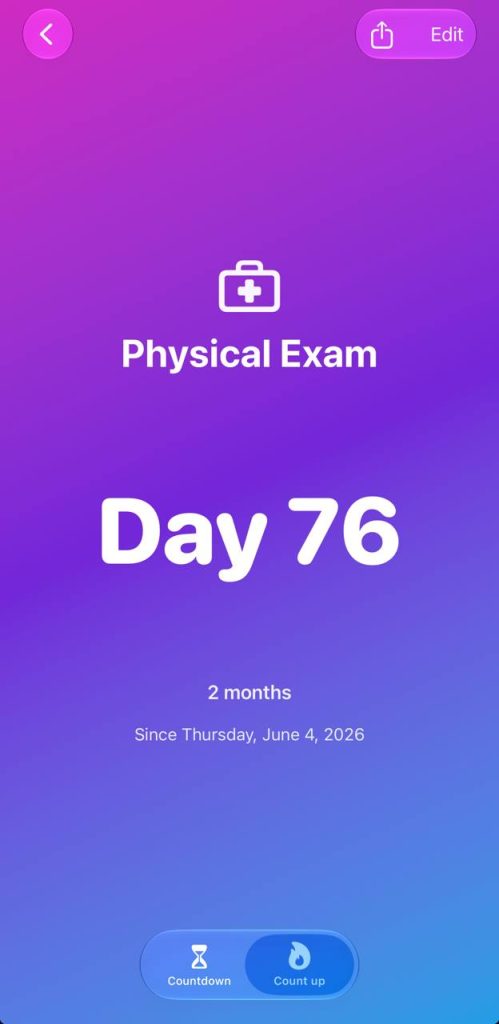
NanoCount counts in both directions. Count down to a holiday, a birthday, a wedding, or a passport expiry, or count up since a date to keep a streak alive: smoke-free, sober, together, back at the gym. Day 1 starts on the day you pick, and each streak can get its own widget so the number is always in view. The count-up side is quietly underrated. It works as a lightweight goal tracker, a running days-since counter for anything you want to stay accountable to, and it pulls double duty as a reminder in reverse: count up from your last oil change or doctor’s visit and the running total tells you when you’re due for the next one.
A live counter for the final hours
In the final hours it stops being a passive number and turns into a live counter that ticks down to the second. On the last day the countdown drops into the Dynamic Island, so you can watch the seconds drain without opening the app. It’s a small touch, but it’s the kind of detail that makes a countdown feel like an event rather than a number on a screen.
Customization you wouldn’t expect
The customization is the quiet surprise. Counter styles run from a simple ring and dots to a bar and a real draining hourglass, plus a big-number mode. There’s a full color picker and a searchable library of hundreds of icons.
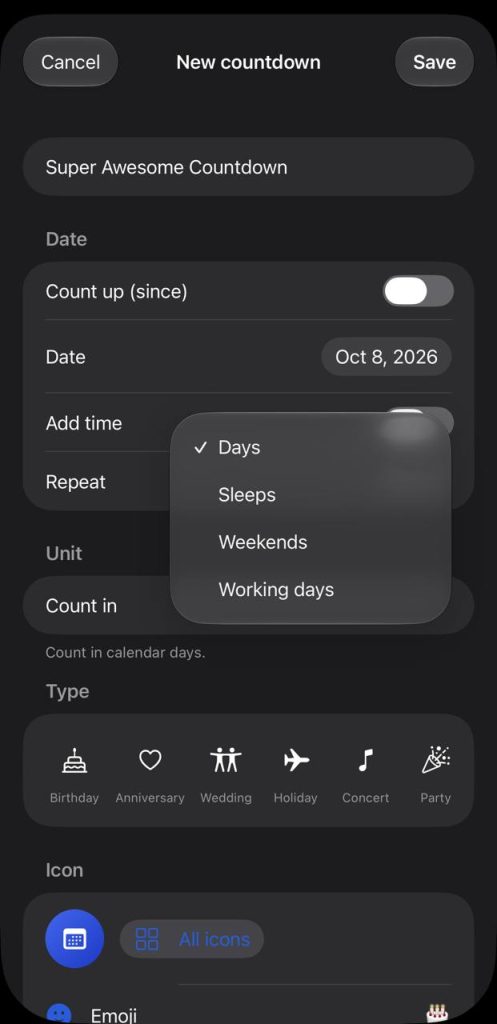
But the detail I keep coming back to is the “Count in” picker. You aren’t stuck with days: NanoCount lets you count in days, sleeps, weekends, or working days. Counting in sleeps is the one that finally clicks for a kid marking off nights until a birthday. And working days is the setting I didn’t know I wanted: a deadline two weeks out feels very different when you’re counting 10 working days instead of 14 calendar days. It’s a small choice most countdown apps never bother to offer, and once you’ve had it, plain “days” feels lazy.
Gift mode is another thoughtful Pro extra: it hides an event’s title, so whatever you’re counting down to stays private even when the widget is sitting in plain view on your Home Screen.
Fast to set up, private by design
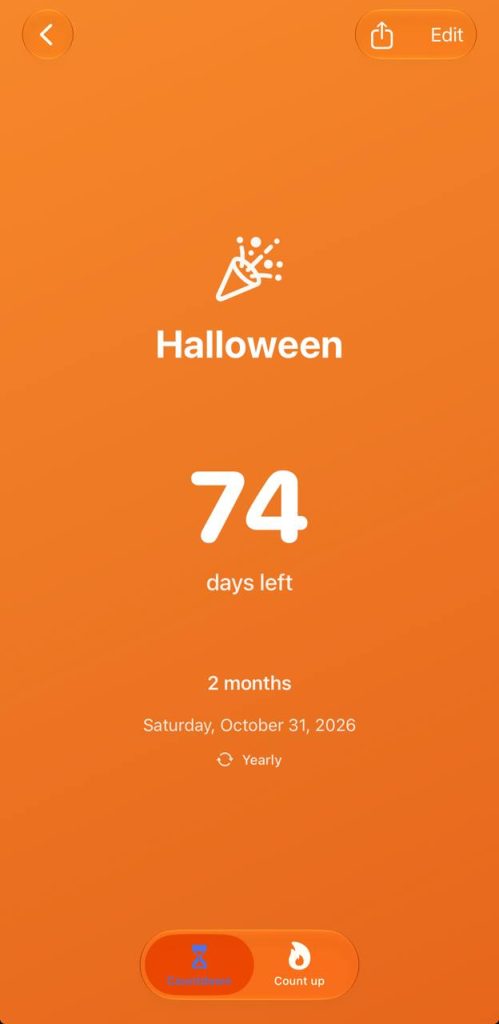
Getting events in is one tap: import from Calendar or Reminders. Getting them out is just as easy. Share any countdown as a card, or export and import a full backup so nothing is lost if you switch phones. Search, pinned favorites, recurrence for weekly, monthly, and yearly events, and notes round out the feature set.
Your soonest countdowns show on the Apple Watch, and there’s a reminder on the day plus milestone alerts for halfway and one week to go. The whole thing is private by design: no account, no sign-in, no tracking, no data collection, and no ads. It works fully offline. Everything stays on your device, which is a relief in a category where countdown apps too often feel like data miners in disguise.
What I’d Change
The free tier is generous, but iCloud sync sits behind Pro, so if you keep countdowns on both an iPhone and an iPad you’re either entering everything twice or paying the $5.99. That’s a fair place to put a paywall and $5.99 once isn’t much, but it’s worth knowing before you build out thirty events on the wrong device.
The other thing worth knowing isn’t really a flaw, it’s just a fact: NanoCount launched on August 15, 2026, so it is still a young app. Nothing I ran into suggests that’s a problem, but you’re judging this on the app itself rather than on a thousand strangers.
Pros and Cons
Pros
- Multi-event widget is free, not paywalled
- Counts down and up, so it doubles as a streak tracker
- Live countdown to the second, plus Dynamic Island on the final day
- No account, no tracking, no ads, works fully offline
- One-tap import from Calendar and Reminders
- Pro is a one-time $5.99, never a subscription
Cons
- Launched in August 2026, so a short track record
- No iCloud sync in the free tier
Who Should Use This
Anyone who tracks dates. If you have a deadline, a due date, or an event you’re looking forward to, NanoCount keeps it glanceable without opening an app. It works just as well for habit tracking, since the count-up view doubles as a visual streak counter. And if you’ve been burned by countdown apps that nickel-and-dime you for a second widget, the free multi-event widget is the reason to switch.
Who Should NOT Use This
If you’re on an iPhone X or older you can’t run it at all, since NanoCount needs iOS 18. Beyond those two edge cases, it’s an easy app to recommend.
Pricing & Alternatives
The free tier is the real product here. Unlimited countdowns, the multi-event widget, Lock Screen widgets, and milestone alerts all cost nothing, with no account, no subscription, and no ads attached to any of it. Most people will never need to pay.
Pro is $5.99, once. iCloud sync is the headline Pro feature. Most of the rest is customization: photo backgrounds, the premium counter styles, Siri and Shortcuts, gift mode, alternate icons. So the decision is unusually simple. Pay if you want your countdowns on more than one device, or if you want them to look exactly the way you want. Otherwise stay on free and you’re not missing anything structural. Set against the free countdown apps and habit trackers we’ve covered, that’s an honest split.
Verdict
NanoCount is a genuinely useful countdown widget with an unusually generous free tier. If you want countdowns on your Home Screen without paying a subscription, it’s an easy recommendation. You’re making an early bet, since it only launched in August and hasn’t built a track record yet, but on the evidence it’s a good one. An app this complete this early is rare, and the free tier alone justifies the install.
NanoCount delivers a remarkably complete countdown widget free of charge, with the multi-event widget most rivals put behind a paywall. The free tier alone is worth the install, with the honest caveat that this is a young app with no track record yet.
Frequently Asked Questions
Is NanoCount free?
Yes. The core app is free with no subscription and no account. NanoCount Pro is an optional one-time purchase of $5.99 for iCloud sync and premium extras.
Can NanoCount count up as well as down?
Yes. Use count-down for upcoming events and count-up to track days since a date, like a streak.
Does NanoCount work on the Lock Screen?
Yes. Lock Screen widgets are supported on iOS 18 and later, and the countdown goes live in the Dynamic Island on the final day.
Do I need to create an account?
No. There’s no sign-up required to use the app, and everything works offline. Your data stays on your device.
What does NanoCount Pro add?
iCloud sync across devices, your own photo behind an event, premium counter styles, Siri and Shortcuts, gift mode, alternate app icons, and advance reminders.