
Published May 14, 2026 · Updated Oct 26, 2026
You don’t need a laptop to edit video anymore — or photos, for that matter (see our best photo editing apps for iPad and iPhone photography apps).ra shoots 4K Dolby Vision HDR, and the editing apps available today can cut, color-grade, add effects, and export at resolutions that would have required a $3,000 desktop setup five years ago. The question isn’t whether you can edit on an iPhone — it’s which app matches your skill level and what you’re trying to make.
Jump to a section
Best Video Editing Apps — Quick Picks
- Best free professional editor: CapCut — ByteDance’s editor, free to download
- Best full-featured paid editor: LumaFusion — timeline-based NLE that pros actually use
- Best AI-powered editor: InShot — auto-captions, smart cut, one-tap effects
- Best Apple-native: iMovie — free, intuitive, and deeply integrated with the Photos library
- Best for quick social cuts: Splice — a simple tap-to-trim editor for quick cuts
CapCut — Best Free Professional Editor


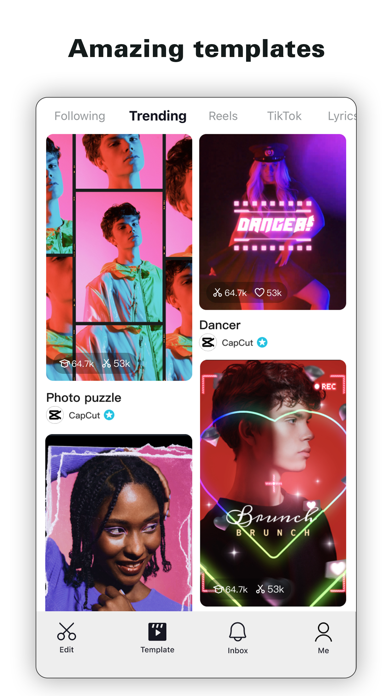
CapCut is ByteDance’s video editor, and it’s wildly popular for a reason: it’s free to download and genuinely powerful. The editor runs on a multi-track timeline with support for 4K 60fps export, keyframe animation, chroma key (green screen), and automated captions that are scarily accurate. The effects library is vast — transitions, text animations, color grading presets, speed curves — and new templates drop constantly because CapCut shares TikTok’s content ecosystem.
The downside is that CapCut pushes its premium features (Pro, $19.99/month) fairly aggressively, and the app collects usage data as you’d expect from a ByteDance product. But for someone editing social media videos, YouTube content, or short films, the free download covers a wide range of editing tools. Export settings include custom resolution and 4K 60fps.).
LumaFusion — Best Full-Featured Paid Editor
LumaFusion is a full-featured editor for iPad and iPhone. It’s a full nonlinear editor with six video/audio tracks, magnetic timeline, LUT support for color grading, keyframe editing, and multi-format export up to 4K. If you’ve used Final Cut Pro or Premiere Pro, the workflow will feel familiar: trim, split, audio ducking, and keyframed effects are all here.
The $29.99 purchase price) is steep for an app, but it’s shockingly cheap for what amounts to a professional video editor. Storyblocks for LumaFusion, included with the Creator Pass subscription, offers royalty-free music, SFX, and videos. Multicam Studio, a paid add-on, synchronizes 6 cameras or audio and lets you tap to switch angles. LumaFusion is overkill for trimming a TikTok, but if you’re editing a documentary, wedding video, or YouTube project on an iPad or iPhone, this is the tool.
InShot — Best AI-Powered Editor


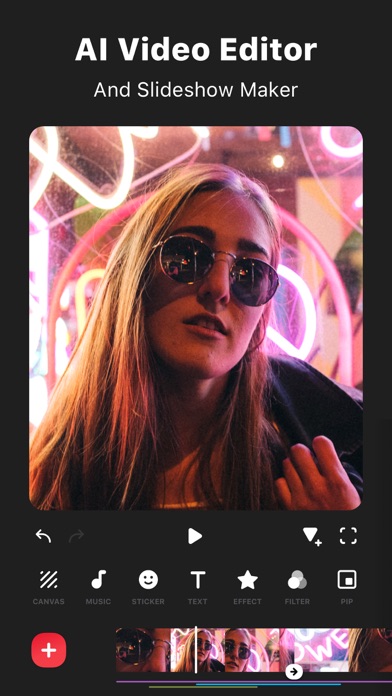
InShot is a full video editing suite with AI tools. The AI-powered background removal and auto-caption features are genuinely impressive — it can separate a speaker from a busy background without a green screen. The speed curve editor lets you do smooth slow-motion ramps (not just a flat speed change), which is the kind of feature you usually need desktop software for.
InShot Pro ($4.99/month, $19.99/year, or $49.99 lifetime)) InShot Pro costs $4.99/month, $19.99/year, or $49.99 lifetime.. InShot is ideal for content creators who need to produce polished social content quickly without learning a full timeline editor.
iMovie — Best Free Apple-Native Editor


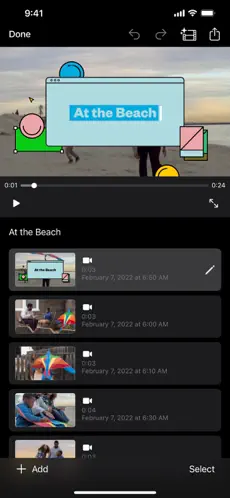
iMovie is Apple’s own video editor and it works better than its “free Apple app” reputation suggests. The Magic Movie feature can auto-generate a polished edit from your clips with transitions, titles, and a soundtrack — it’s surprisingly competent for quick vacation videos or event recaps. Storyboard mode gives you shot-by-shot templates for common video types (how-to, product review, cooking tutorial) that help beginners structure their videos before they even start shooting.
The manual editor supports 4K 60fps, green screen, picture-in-picture, and split-screen. It’s deeply integrated with the Photos library, so any footage you’ve shot on your phone is instantly available. Audio tools include voiceover recording and a library of more than 130 soundtracks that auto-adjust to fit the length of your video. Note: iMovie’s last update was December 2024, which is unusually long for an Apple app. It still works well for basic editing on current iOS versions, but active video editors should consider CapCut or LumaFusion for more frequently maintained tools.
Splice — Best for Quick Social Cuts


Splice is a mobile video editor from Bending Spoons that aims to make editing simple on small screens. The interface uses a simple tap-to-trim model rather than a full timeline, which makes it faster for quick cuts than any other app on this list. The text overlay options are well-designed and look professional without effort.
Splice is free to download, but the description says its features require a subscription (weekly, monthly or yearly) — check current pricing in the App Store.
Is your app on this list? Add a free "Featured on iOS App Lists" badge to your website or press kit.