
Published Apr 10, 2026 · Updated Oct 27, 2026
Whether you’re a dedicated reader who burns through a book a week or someone who wants to read more and never quite manages it, there’s an iPhone app that fits your habits. The right one can put tens of millions of titles in your pocket, connect you with your local library’s digital collection, or summarise key ideas from books you don’t have time to read in full.
We verified every app below is currently available on the App Store and confirmed update dates. One app from the previous version of this post has been updated: Scribd is now called Everand.
Jump to a section
Best Book Apps for iPhone — Quick Picks
- Best for ebook reading: Amazon Kindle
- Best free library access: Libby
- Best for audiobooks: Audible
- Best for book discovery and tracking: Goodreads
- Best for book summaries: Blinkist
- Best all-in-one subscription: Everand
Amazon Kindle — Best for Ebook Reading


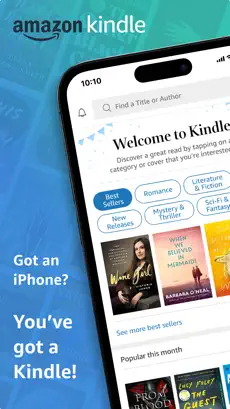 Kindle is a popular ebook app, and for good reason. Access to millions of titles, seamless sync across all your devices, customisable fonts and backgrounds, X-Ray for character and term lookups, and Whispersync for switching between reading and listening. If you’ve bought Kindle books over the years, this is where they live.
The app is free; you pay for individual books or a Kindle Unlimited subscription for access to over 1 million titles. Kindle books you have purchased on Amazon appear in the app automatically.
Libby — Best Free Library Access

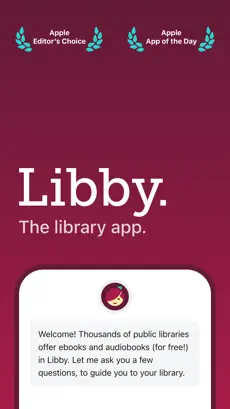 Libby lets you borrow ebooks and audiobooks from your local public library for free. All you need is a library card — once connected, you can browse your library’s digital collection, borrow titles instantly (or join a waitlist for popular books), and read or listen offline. Borrowed titles can also be sent directly to your Kindle.
This is one of the most underused apps available. If you have a library card and don’t use Libby, you’re leaving free books on the table.
Audible — Best for Audiobooks


Audible offers 1M+ audiobooks and podcasts, plus exclusive Audible Originals only available there. The narration quality is generally excellent, and Whispersync lets you switch between reading the Kindle version and listening to the Audible version without losing your place.
Audible requires a membership after a free 30-day trial for new members.
Goodreads — Best for Discovery and Tracking

 Goodreads is a social reading platform where you track what you’ve read, want to read, and are currently reading — then discover new books through friends’ shelves, community reviews, and personalised recommendations. The annual Reading Challenge lets you set a goal and track your progress through the year.
The app is free. Reviews and community recommendations are generally reliable for fiction; non-fiction discovery is hit or miss depending on the genre.
Blinkist — Best for Book Summaries

 Blinkist condenses non-fiction books into 15-minute reads or listens, covering the core ideas without requiring you to read the full book. It’s excellent for exploring ideas across business, self-help, science, history, and philosophy without committing to 300 pages per title.
A subscription is required for full access (~$15.99/month or $79.99/year). A free tier lets you sample one title per day.
Everand — Best All-in-One Reading Subscription

 Everand (formerly Scribd) is a subscription service for audiobooks and ebooks, with plans that unlock a set number of titles each month. If you read widely across formats and don’t want to pay per title, it offers strong value.
Honest note: Everand holds a 4.3 rating, lower than others on this list. Reviewers’ main complaints are the move from unlimited access to a limited number of monthly unlocks, and app crashes. Worth knowing before subscribing. A subscription costs around $11.99/month.
Frequently Asked Questions
What is the best free book app for iPhone?
Libby is free with a library card and gives access to your local library’s entire digital collection — ebooks and audiobooks. Apple Books is also built in and free. Goodreads is free for tracking and discovery.
Can I read Kindle books on iPhone without a Kindle device?
Yes. The Kindle app is free and works on iPhones running iOS 17 or later. You don’t need a Kindle device to read books you’ve purchased from Amazon.
What is Everand? Is it still called Scribd?
Scribd’s reading subscription is now called Everand. It offers audiobooks and ebooks through a monthly subscription, with plans that unlock a set number of titles per month.
For more reading recommendations, see our guide to the best podcast apps for iPhone and our roundup of the best note-taking apps for keeping reading notes organised.
Is your app on this list? Add a free "Featured on iOS App Lists" badge to your website or press kit.