
Published Mar 30, 2026 · Updated Nov 5, 2026
Apple Podcasts comes preinstalled on every iPhone and it works. But once you follow twenty shows and listen every day, the cracks appear: a clunky queue, , and limited control over playback. A dedicated player fixes that.
Every app below is a different answer to the same question. Some are built for obsessive queue management. Others make audio sound better, or surface shows you’d never find on your own, or fold podcasts in with your music. Which one you pick depends on how you actually listen, not on which app has the biggest marketing budget.
Jump to a section
Quick Picks
- Best overall: Pocket Casts
- Best for most people: Apple Podcasts
- Best audio quality: Overcast
- Best for music and podcasts together: Spotify
- Best for high-volume listeners: Castro
- Best for discovery: Castbox
- Best for live shows and creators: Podbean
The Best Podcast Apps Compared
| App | Best For | Price | Rating |
|---|---|---|---|
| Apple Podcasts | Built-in, casual listening | Free | ★4.9 |
| Pocket Casts | Queue management, cross-device sync | Free + Plus | ★4.5 |
| Overcast | Audio enhancement | Free + Premium | ★4.5 |
| Spotify | Music and podcasts in one app | Free + Premium | ★4.8 |
| Castro | Inbox-style triage | Free + Castro Plus | ★4.6 |
| Castbox | Discovery and a huge catalog | Free + Premium | ★4.9 |
| Podbean | Listening plus live streaming | Free | ★4.8 |
| Player FM | Cross-platform free option | Free + subscription | ★4.7 |
Apple Podcasts — Best for Most People


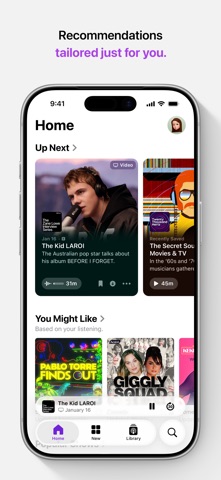
Apple Podcasts is the default for a reason. It’s already on your phone, it syncs your library through iCloud, and it’s free. If you follow a handful of shows and mostly listen on walks or in the car, you genuinely don’t need anything else.
The app has come a long way in recent iOS releases. Transcripts let you read along as an episode plays and share a specific moment, and the Up Next queue finally behaves like a real queue. CarPlay support is solid, which matters more than most people expect until they try a podcast app that half-works on CarPlay.
The tradeoff is control. Discovery mixes Apple’s editorial picks with personalized recommendations. Follow thirty shows and want more control? You may outgrow it.
Pocket Casts — Best for Serious Listeners

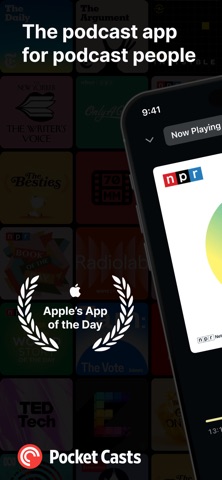
Pocket Casts is where most dedicated podcast people end up. It is now run by Automattic, the company behind WordPress. The draw is the queue: an Up Next list you reorder by dragging, skip-intro, trim-silence and variable speed controls, plus playlists and smart playlists to organize a large library.
Sync is the other reason to pick it. Start an episode on your iPhone and finish it on another device or the web player. It also runs on Apple Watch and CarPlay.
The core app is free. Pocket Casts Plus, around $4 a month, is the optional paid subscription. The main criticism: the interface can feel dense. There’s a lot going on, and if you just want to tap play on one show, it’s more app than you need.
Overcast — Best for Audio Quality

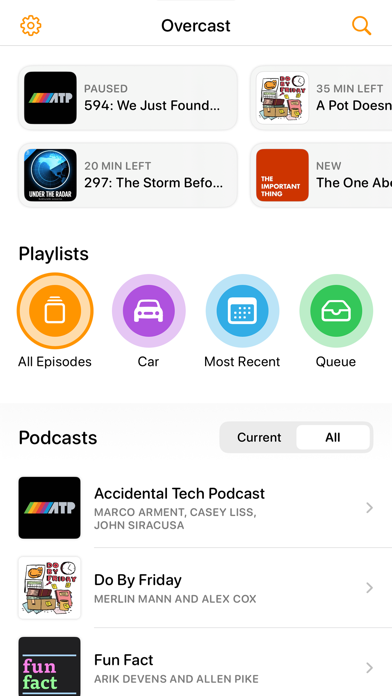
Overcast is built by Marco Arment, one of the more respected indie developers in the Apple world, and it shows in the details. Its two headline features are Smart Speed and Voice Boost. Smart Speed shortens silences on the fly so episodes run faster without sounding chipmunky. Voice Boost evens out volume so a quiet host and a loud guest sit at the same level.
If you listen to independent shows with rough audio, Voice Boost is the single biggest upgrade you can make without touching a settings panel. The interface is clean and fast, and the queue is easier to learn than Pocket Casts. It’s the app to hand someone who wants better sound and less fiddling.
It’s free with ads in the interface. Premium removes them. It runs on iPhone, iPad, and Apple Watch. On Apple hardware that rarely matters.
Spotify — Best for Music and Podcasts Together

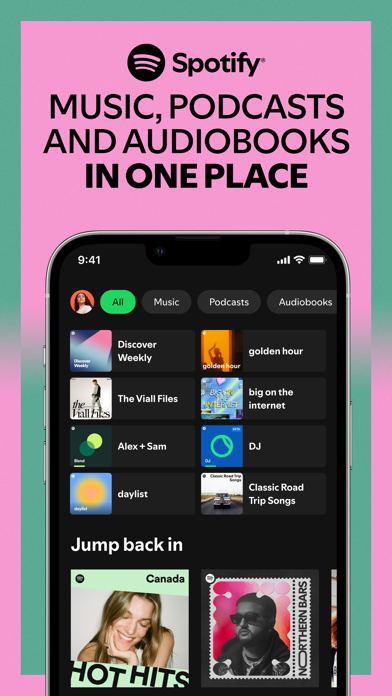
Spotify is the podcast app for people who already pay for Spotify. Music, podcasts, and audiobooks share one account, so downloads, history, and recommendations all live in the same place. The catalog is enormous, and The catalog is enormous, including original podcasts.
Discovery is the real strength. Spotify’s algorithm knows your music taste and applies it to shows, which surfaces things you’d never find browsing a chart. If you want one app for everything audio, this is it, and it’s the obvious companion to the best music apps for iPhone.
The weak spots are what dedicated apps do better. Podcasts work on the free tier with ads, and Premium adds downloads for offline listening. For podcast-only listeners, the app can feel like podcasts bolted onto a music service. That’s because it is.
Castro — Best for High-Volume Listeners

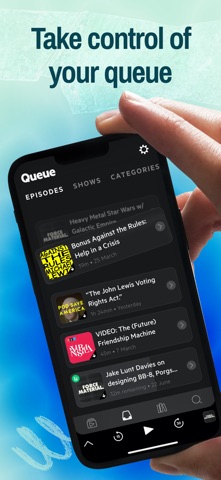
Castro’s idea is simple and, for the right person, a lifesaver: new episodes from shows you’re choosy about land in an inbox, and you triage it into your queue, archive it, or save it for later. It sounds fussy until you follow forty shows and wake up to ninety unplayed episodes.
The app supports chapters, per-show settings, and CarPlay, with a clean, modern design. It was last updated in September 2026.
Castro Plus, $24.99 a year, unlocks sideloading your own audio, Trim Silence, and Enhance Voices. The catch is that the triage model rewards discipline. If you follow five shows, the inbox is just an extra step between you and playback.
Castbox — Best for Discovery

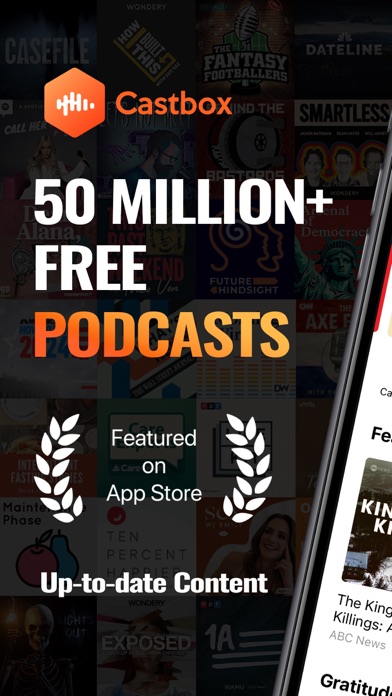
Castbox indexes a genuinely massive catalog and pairs it with a powerful search engine. That’s rare and it’s the kind of thing you only appreciate once you’ve needed it.
It’s one of the most feature-packed free players on the App Store.
The tradeoff is polish. The interface is busy, and the free tier runs ads. Castbox also sells Premium subscriptions, but the pricing shifts often enough that you should check in the app.
Podbean — Best for Live Shows and Creators

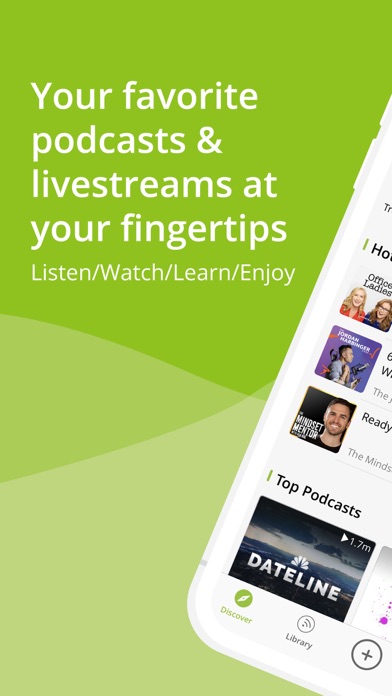
As a day-to-day player it’s solid. Speed control, volume boost, playlists, sleep timer, and automatic downloads all work, and the catalog is large. The app is free to download, with ads and optional Premium subscriptions.
The catch is the same strength flipped around. If you want a quiet, focused player, the extra furniture gets in the way. If you follow shows that stream live or you host your own, it’s the obvious pick.
Player FM — Best Free Cross-Platform Option

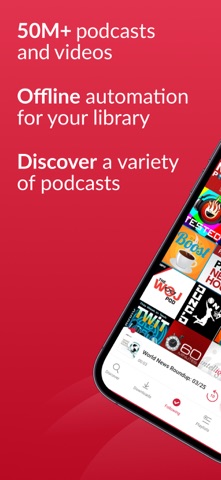
Player FM is the sleeper pick. It’s free, it syncs across your devices, and it has search and podcast categories to browse. You can browse and organize shows by category.
It handles offline downloads and a sleep timer. A Premium subscription removes ads, but the free version is fully usable, which is rare in this category.
The downsides are typical for a smaller team: the design feels dated in spots and updates are less frequent than the top apps. It’s the app to hand someone who wants a capable player.
How to Pick the Right Podcast App
If you’re unsure, keep Apple Podcasts until you hit a wall, then switch. The wall is usually queue management or audio quality.
Follow a lot of shows? Pocket Casts. Want better sound without fiddling? Overcast. Already pay for Spotify and mostly listen there? Stop installing extra apps. Host a show or follow live streams? Podbean. Drowning in episodes? Castro’s inbox is the fix. None of these are wrong. The best podcast app is the one you actually open.
Frequently Asked Questions
What is the best free podcast app for iPhone?
Apple Podcasts, Spotify, and Overcast all work well free. Apple Podcasts is free to use. Spotify’s free tier includes podcasts with ads. Overcast’s free tier covers most features, with interface ads you can remove with Overcast Premium.
Can I listen to podcasts offline on iPhone?
Yes. Most apps here support downloading episodes for offline listening; on Spotify, downloads require Premium. Apple Podcasts, Spotify, Pocket Casts, Overcast, Castro, Castbox, Podbean, and Player FM all let you save episodes ahead of time so you’re not stuck without a signal.
Do podcast apps work with CarPlay?
Most do. Apple Podcasts, Pocket Casts, and Castro all support CarPlay, which matters if you do most of your listening on the road. See our roundup of the best CarPlay apps for more.
What’s the difference between Pocket Casts and Overcast?
Pocket Casts is about organization: a powerful queue, playlists, smart playlists, and cross-platform sync. Pick Pocket Casts for lots of shows, Overcast for better sound.
Is Pocket Casts still free?
Yes. Pocket Casts is free to download with the core listening experience included. The optional Pocket Casts Plus subscription, around $4 a month, is the optional paid subscription, at around $4 a month.
For most listeners, Pocket Casts is the safest recommendation. If you only follow a few shows, Apple Podcasts is already good enough, and if audio quality bugs you, Overcast fixes it in a day. If you’re more into spoken-word content generally, check out the best apps for book lovers or our guide to the best meditation apps for something calmer, and the best news apps if you want your audio current-events flavored.
Is your app on this list? Add a free "Featured on iOS App Lists" badge to your website or press kit.