
Published Jul 7, 2026 · Updated Oct 25, 2026
Netflix has quietly built something most subscribers still don’t know exists: a full gaming platform that plays on your TV, controlled entirely by your iPhone. No console, no extra hardware, no separate purchase. Just your phone, your TV, and the Netflix subscription you’re already paying for. (If you’re weighing other ways to squeeze more from your subscription, we’ve also ranked the best streaming apps for iPhone.)
The Netflix Game Controller app turns your iPhone into a virtual gamepad for Netflix games streamed to your TV. It’s free, it’s genuinely good, and it has a strong rating from App Store users. The catch is that almost nobody knows it exists because Netflix has buried the feature behind a row in its TV interface.
Jump to a section
- Quick Picks
- Netflix Games at a Glance
- Netflix Game Controller
- Netflix (the App You Already Have)
- Red Dead Redemption
- Into the Breach
- Monument Valley 3
- Dead Cells: Netflix Edition
- Netflix Puzzled: Logic Games
- How to Set Up Netflix Games on Your TV
- What Works Well (and What Doesn’t)
- Pro Tips
- Frequently Asked Questions
- Which One Should You Start With?
- The Bottom Line
Quick Picks
- Best for turning your phone into a TV controller: Netflix Game Controller, the free app for playing Netflix games on your TV.
- Best big-screen action game: Red Dead Redemption, Rockstar’s open-world western on Netflix.
- Best puzzle game: Monument Valley 3, the stunning optical-illusion sequel.
- Best strategy game: Into the Breach, a turn-based strategy game.
- Best for quick sessions: Netflix Puzzled, a free collection of logic and number puzzles.
- Best for a challenge: Dead Cells: Netflix Edition, the roguelike that rewards reflexes.
- Best overall value: The Netflix app itself, which is where the whole games row lives.
Netflix Games at a Glance
| App | Best For | Price | Rating |
|---|---|---|---|
| Netflix Game Controller | Turning your iPhone into a TV gamepad | Free | 4.6 (188K) |
| Netflix | The hub for streaming and the games row | Free | 4.7 (7.1M) |
| Red Dead Redemption | Open-world western action | Free w/ sub | 4.8 (55K) |
| Into the Breach | Turn-based tactics | Free w/ sub | 4.8 (5.7K) |
| Monument Valley 3 | Optical-illusion puzzles | Free w/ sub | 4.8 (4.4K) |
| Dead Cells: Netflix Edition | Roguelike action | Free w/ sub | 4.8 (3K) |
| Netflix Puzzled: Logic Games | Quick logic and number puzzles (no membership needed) | Free w/ sub | 4.8 (4.1K) |
Netflix Game Controller


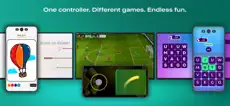
The Netflix Game Controller is a free, separate iOS app that transforms your iPhone or iPad into a touchscreen gamepad for Netflix games played on your TV. Think of it like a Nintendo Switch Joy-Con, except it’s already in your pocket and you didn’t have to buy anything.
Here’s the part that feels like magic: launch a game through the Netflix app on your TV, launch a game on your TV and use your phone as the controller. You can swipe, tap, type, draw and steer right from your phone.
Netflix shipped the most recent update on October 12, 2026, so it’s under active development, not a throwaway feature. One honest downside: the touchscreen isn’t a substitute for a physical gamepad on reflex-heavy games, and running the controller app for long sessions will use some battery.
Pricing: Free, requires any Netflix subscription. Download Netflix Game Controller
Netflix (the App You Already Have)


You can’t play Netflix games on your TV without the main Netflix app. Games are listed inside the Netflix app. That’s where you pick a game and trigger the QR code your phone scans.
The games row is tucked between categories rather than getting prominent placement, which is exactly why most subscribers have scrolled right past it for months.
Pricing: Free to download. Netflix membership is billed monthly, and the controller app’s description says games are included in your membership with no ads or extra fees.
Red Dead Redemption


Rockstar’s 2010 open-world western landed on Netflix in December 2025, and it’s the single most impressive title in the catalog. You get the full John Marston campaign, Undead Nightmare included, all unlocked with your subscription. On a modern iPhone it runs smoothly, and it’s the kind of game that sells people on Netflix gaming by itself.
Who it’s for: anyone who wants a full console-grade adventure on their phone without paying separately for it. The trade-off is storage and battery. This is a multi-gigabyte download, and open-world games drain a battery faster than a puzzle game ever will.
If you enjoy this one, our best iPhone games of 2026 roundup has more picks in the same vein.
Pricing: Free to download, but a Netflix membership is required.
Into the Breach


Here is a turn-based tactics game that is quietly one of the best strategy titles ever made for a phone. You command a squad of mechs defending a grid from an alien swarm, and every turn is a puzzle where you can see exactly what the enemy will do next.
That predictability is the whole point. Enemy attacks are telegraphed. You lose because you planned badly, not because the game cheated, which makes each run feel fair and frustrating in the best way. It suits a touchscreen because you’re issuing orders, not reacting in real time.
Who should skip it: if you want action rather than careful planning, this isn’t your game. It’s a thinking game first and everything else second.
Pricing: Free to download, but available exclusively for Netflix members. Download Into the Breach
Monument Valley 3


The Monument Valley series made its name on impossible geometry and gentle, wordless storytelling, and the third entry keeps that streak alive. It’s free to start, with the first two chapters free and a single $5.99 in-app purchase to unlock the full game.
You guide Noor, a young apprentice, through shifting architecture and rising tides where paths only line up when you tilt them the right way. It’s the most beautiful game on this list, and the puzzle design is clever without ever becoming hostile. Levels are short, so it’s ideal for commutes and quick sessions.
The trade-off is length. Monument Valley games are short by design, and you’ll likely finish this one in a few hours of cumulative play. If you want more puzzle variety afterward, check our best iPhone puzzle games roundup.
Pricing: Free to download, with the first two chapters free and a $5.99 in-app purchase to unlock the full game.
Dead Cells: Netflix Edition


Dead Cells is the roguelike that set the bar for “one more run” design, and the Netflix edition puts the whole thing on your iPhone with all the updates and DLC folded in. You hack through procedurally generated levels, collect weapons, die, and start over with whatever permanent upgrades you managed to keep.
It’s fast, and that’s both its strength and its weakness on a phone. The touchscreen controls are workable but cramped during intense combat, and the touch controller on TV adds a touch of network latency.
Who it’s for: anyone who wants a real action game on the go and doesn’t mind the occasional death that feels slightly unfair when you’re on touch controls.
Pricing: Free to download, but a Netflix membership is required.
Netflix Puzzled: Logic Games


Netflix Puzzled bundles a rotating collection of logic games, number puzzles, and word challenges into one app, and it’s the most casual-friendly pick on this list. Think Sudoku, word puzzles, and daily brain teasers with no in-game ads.
What makes it work is the daily puzzle cadence. There’s always something new, each session is short, and the difficulty ramps gently. It’s the game you open for ten minutes while waiting for a kettle, not the one you lose an evening to. The newest update landed October 15, 2026, so the puzzle feed is actively refreshed.
The honest limitation: it’s a collection of familiar puzzle formats rather than something new, so if you’ve played a lot of logic games, little here will surprise you. For offline-friendly variety, our list of the best offline iPhone games is worth a look too.
Pricing: Free to download; the description says no Netflix membership is required.
How to Set Up Netflix Games on Your TV
Step 1: Install the controller. Download Netflix Game Controller from the App Store.
Step 2: Find the games row. Open Netflix on your smart TV or streaming device and look for the Games row. If it’s missing, your TV may not be supported or your region hasn’t rolled out TV gaming yet.
Step 3: Pick a game and scan. Select a game to start it. A QR code appears on your TV. Open your iPhone camera and point it at the code. Your phone connects in a few seconds and becomes the controller.
Step 4: Play. The controls appear on your phone screen.
For multiplayer: The app is built for group game nights with multiplayer party games. It supports multiplayer party games, which makes party games the real use case here.
What Works Well (and What Doesn’t)
Setup is almost instant. It’s the kind of frictionless experience Apple users expect.
Most Netflix games are included with your membership, with no ads or extra fees, according to the controller app’s description.
The downsides are real. Action games suffer from touchscreen latency, TV compatibility is a lottery with no master list, and the games row is buried in the interface. Battery drain while using the controller is also noticeable over long sessions.
Pro Tips
Use a Bluetooth controller for action games. This eliminates most of the latency issue.
Your computer browser works too. Go to netflix.com in Chrome or Edge, open Games, and scan the QR code with your phone. Same experience, different screen, useful if your TV isn’t compatible.
Check device compatibility before game night. Netflix → Account → Manage Access and Devices, then toggle “Show devices compatible with games.” If your TV shows up, you’re set. If not, a software update might help.
Frequently Asked Questions
Do I need a separate subscription for Netflix games?
Mostly no. The controller app’s description says games are included in your Netflix membership, with no ads or extra fees.
Can I play Netflix games on my TV without the controller app?
The Netflix Game Controller app lets you use your phone as the controller, and it is separate from the main Netflix app and free to download from the App Store.
Which TVs support Netflix games?
Netflix TV gaming is not on every device. Check the Manage Access and Devices page in your account to see if your device qualifies.
Do Netflix games have ads or in-app purchases?
The controller app says games are included in your Netflix membership with no ads or extra fees, but Monument Valley 3 sells a $5.99 full-game unlock.
Is the Netflix Game Controller worth it if I don’t game much?
It’s free and takes minutes to set up, so there’s no real downside. If you host people for TV nights, the party games alone justify it. If you never play multiplayer, you may never open it again.
Which One Should You Start With?
If you’re hosting people, go straight for the multiplayer party games that turn every phone in the room into a controller. The setup is the entertainment. If you want a solo game that justifies the whole platform, Red Dead Redemption is the obvious flagship, with Into the Breach right behind it for anyone who prefers thinking over reflexes.
For short, low-stakes sessions, Monument Valley 3 and Netflix Puzzled are the easiest to dip in and out of. And if you only try one thing today, make it the controller app itself, because it costs nothing and it’s the fastest way to discover that Netflix has been sitting on a real game console this whole time.
The Bottom Line
Netflix Game Controller is one of those features that feels obvious once you use it, yet most subscribers still don’t know it exists. Setup is painless, the game selection is stronger than expected, and it’s all bundled into a subscription you’re already paying for. It won’t replace a console, and action games still want a physical controller, but for party games, puzzles, and turn-based strategy on your TV with zero extra hardware, it’s genuinely impressive. Download the app, find the Games row, and give it a shot at your next gathering. Your friends will be surprised this is a Netflix feature.
Is your app on this list? Add a free "Featured on iOS App Lists" badge to your website or press kit.