
Published Apr 24, 2026 · Updated Oct 27, 2026
Apple Mail is fine. It is built in, it is free, and for plenty of people it does the job. But the moment you run two or three accounts, want to snooze a message for tomorrow, or wish your inbox stopped looking like a firehose, the third party apps have pulled well ahead. The gap is no longer small.
What follows is a ranked look at the eight email apps worth installing on an iPhone in 2026. Some are built for privacy, some for a cleaner inbox, some for the way you already work. Each one does one thing better than Apple Mail, and each one comes with a tradeoff you are signing up for.
Jump to a section
Quick Picks
- Best overall: Spark Mail. The smart inbox and AI drafting, with a genuinely useful free tier.
- Best for Gmail users: Gmail. Native, fast, and its search is still the best in the business.
- Best for Microsoft 365: Outlook. A built-in calendar alongside your email.
- Best for privacy: Proton Mail. Zero-access encryption from a Swiss company, not a marketing line.
- Best for PGP and AI: Canary Mail. PGP encryption, read receipts, and an AI Copilot for drafts and summaries.
- Best free-to-download inbox with tracker blocking: Edison Mail. Blocks trackers and sorts the noise.
- Best deliberate inbox: HEY Email. $99 a year for an inbox that only lets in mail you approve.
- Best chat-style email: Spike. Turns threads into conversations that read like iMessage.
The Best Email Apps Compared
| App | Best For | Price | Rating |
|---|---|---|---|
| Spark Mail | Smart inbox, AI, teams | Free + Premium | ★4.6 |
| Gmail | Google account users | Free | ★4.7 |
| Microsoft Outlook | Microsoft 365 and Exchange | Free | ★4.8 |
| Proton Mail | Privacy and encryption | Free + paid | ★4.8 |
| Canary Mail | On-device AI privacy | Free + Pro | ★4.5 |
| Edison Mail | Tracker blocking, no ads | Free | ★4.5 |
| HEY Email | A deliberate, screened inbox | $99/yr | ★4.7 |
| Spike | Chat-style email | Free + paid | ★4.5 |
Spark Mail — Best Overall


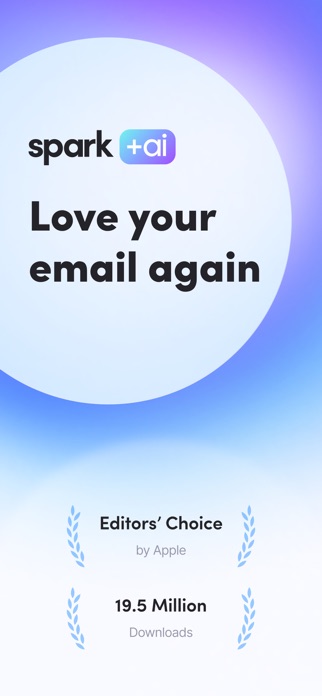
Spark has been the default recommendation for iOS power users for years, and the recent AI additions have not changed that. The Smart Inbox is the whole point. Real people land in one pile, newsletters and notifications get shoved into another, and your main view only shows what actually needs an answer. Spark pushes important emails from real people to the top and groups newsletters and notifications below.
The AI layer is genuinely useful for clearing a backlog. You can draft a reply from a short prompt, have it adjust the tone, or get a one-paragraph summary of a thread you were copied into forty messages late. It is not magic, and the summaries occasionally miss the one line that actually mattered, but for triage it saves real time.
Spark is free for personal use. Spark Plus runs $10 a month or $99 a year, and Spark Pro runs $20 a month or $199 a year. The team features, shared inboxes and internal comments and message delegation, are the best in this category, though they matter more at work than on a personal phone.
Gmail — Best for Google Account Users

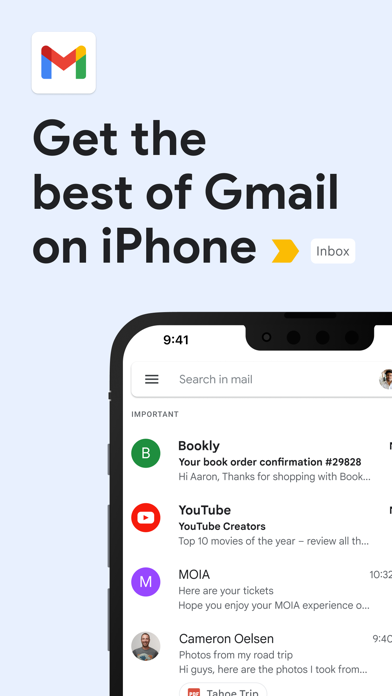
If Gmail is where your life happens, the official app is hard to argue with. It surfaces conversation threading, the Primary and Social and Promotions split, and search that is meaningfully better than Apple Mail’s. That last part is not a coincidence. Search is the thing Google is best at, and it shows when you are digging for a receipt from two years ago.
The spam filtering is excellent, Gemini features can summarize emails and suggest replies, and Google Meet is built in. The app also works with Google Workspace, Google Meet and Google Chat.
It is free to download. The catch is the opposite of a feature list: if you do not live in Google’s ecosystem, there is little reason to pick this over Spark. And if you are particular about a clean interface, Gmail’s tabs and buttons can feel busier than the minimalist options below.
Microsoft Outlook — Best for Microsoft 365 Users

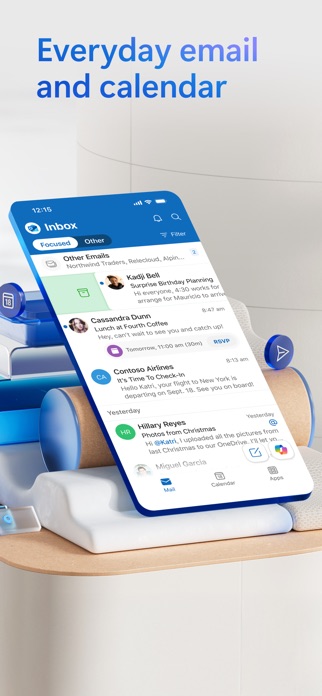
Outlook on iPhone has come a long way from its rough early years. It is now a genuinely good client with a built-in calendar, and it works with Exchange and Office 365 accounts. The Focused Inbox separates the important messages from everything else, and the calendar sits right inside the email app, so you stop switching back and forth between two apps just to check your schedule.
For anyone inside an organization running Microsoft 365, Outlook works with Exchange and Office 365 and lets you share meeting availability.. If your job runs on Outlook, your phone should too.
It is free to download. Full enterprise features need a Microsoft 365 license. The honest criticism is the reverse of Gmail’s: outside the Microsoft world, Outlook is less compelling than Spark, and the app pushes you toward the wider Microsoft ecosystem in small, persistent ways.
Proton Mail — Best for Privacy and Encryption

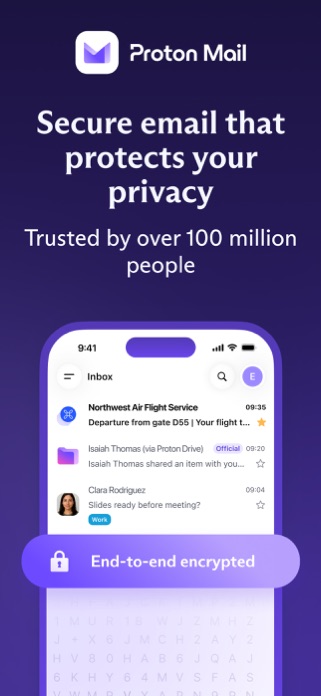
Proton Mail is the privacy pick, and unlike most apps that slap the word “private” on a feature list, it means something specific. The company behind it is based in Switzerland, and built the service so that even Proton cannot read your stored messages. That is zero-access encryption, and it is the difference between “we promise we won’t look” and “we cannot look even if we wanted to.”
In day to day use it is a fast, clean email client with a calendar and a VPN and cloud storage you can add if you want them. End to end encryption applies automatically between Proton users, and you can send password protected messages to people outside Proton. It also does not serve ads built from your inbox.
There is a free tier. Mail Plus starts around $4 a month billed yearly, and the full Proton Unlimited bundle runs about $10 a month. For most people that is a fair swap.
Canary Mail — Best On-Device AI

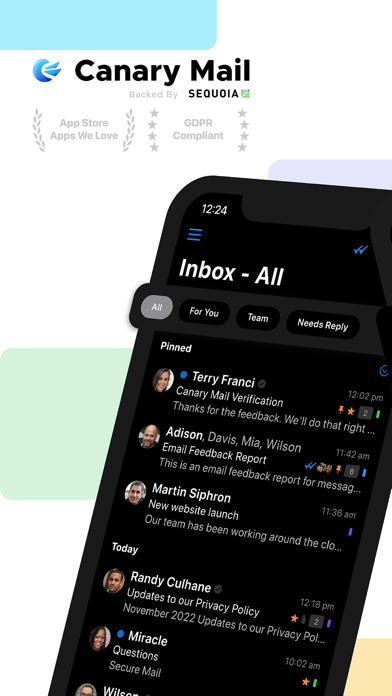
Canary’s angle is a narrower version of Proton’s. It supports PGP encryption and read receipts, and it has an AI Copilot that drafts replies and summarizes threads. If you handle correspondence you would rather not hand to a third party, that distinction is the reason to choose it.
Beyond that it is a well made client with a clean interface, smart filtering, and support for nearly every provider. The AI handles summaries and reply drafting.
It is free to download, with a paid Pro subscription unlocking the fuller encryption and AI toolset. The honest knock is that the app is smaller than Spark or Gmail, and its AI is a step behind on polish. If you want the most features, look up the list.
Edison Mail — Best Free-to-Download Inbox for Tracker Blocking

Edison’s most useful feature is invisible. It blocks email trackers by default, the tiny pixels marketers embed to see when you opened a message, what device you used, and roughly where you were. It is the kind of thing you forget is running until you realize how much you were being watched.
The Smart Filters sort travel confirmations, package tracking, bills, and subscriptions into their own views, so the main inbox stays focused on actual people. It is fast, the setup is simple, and there are no ads.
It is free to download, with an optional Edison Mail+ subscription. The catch is the business model: Edison stores commercial emails such as receipts and travel confirmations to power its assistant features and anonymized research, with an opt-out in settings. That makes some people uneasy, which is fair. For a free, clean inbox, though, it is hard to beat.
HEY Email — Best Deliberate Inbox

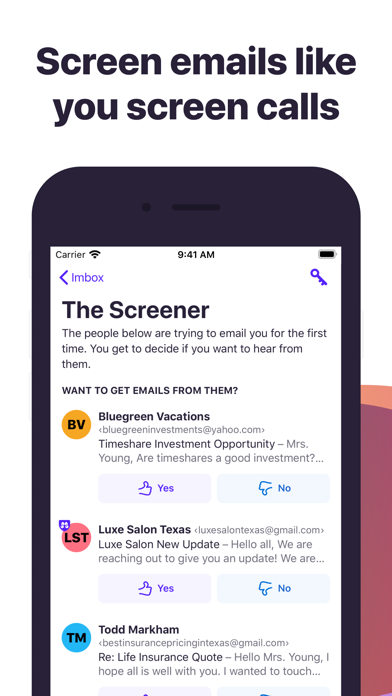
HEY is the opinionated one. Built by the team behind Basecamp and 37signals, it rethinks email from the ground up. New senders have to be approved before their mail reaches you, and everything lands in an Imbox, not an inbox. Newsletters get their own section called The Feed, receipts go to a Paper Trail, and there is a screener that asks “do you want to hear from this person?” the first time someone writes.
The payoff is a genuinely quiet inbox. The cost is that you have to buy into the whole system. There is no traditional free tier, and it works through your own address rather than trying to be a Gmail wrapper.
HEY costs $99 a year, according to the App Store reviews. If your inbox is drowning and you have tried filters and failed, HEY is worth the money. If you just want a nicer skin on Gmail, it is not for you.
Spike — Best Chat-Style Email

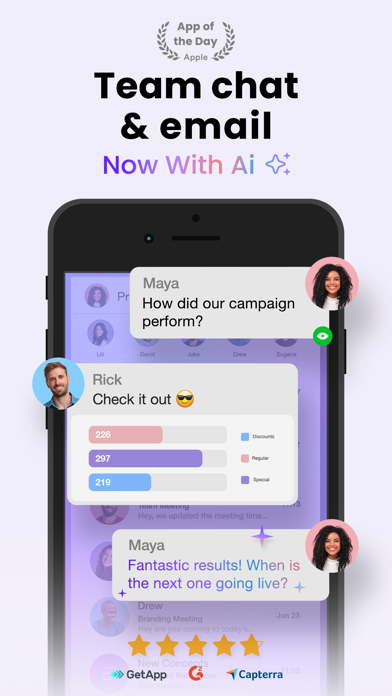
Spike takes a different bet. Instead of showing headers and signatures and quoted text, it strips email down to look like a chat thread, with your messages on one side and theirs on the other. For a lot of people that mental model clicks instantly. You already know how to read a conversation, so email stops feeling like paperwork.
It also folds in team chat, tasks, and notes, and the AI can summarize threads and draft replies. If you work with people who treat email like instant messaging, Spike turns that habit into something that actually works.
It is free to download, but reviewers report being asked to subscribe right after signing in. The honest tradeoff is that it is a big shift in how email looks, and some people never warm to it. It also does not hide the fact that, under the chat skin, you are still doing email. But for the right person, but for the right person, it makes a full inbox feel lighter.
What About Apple Mail?
Apple Mail is still the default for a reason., it needs no setup, and for one or two accounts it is completely adequate. The apps above earn their place by doing one specific thing much better: Spark’s filtering, Gmail’s search, Outlook’s calendar, Proton’s encryption, Edison’s tracker blocking, HEY’s deliberate design, Spike’s chat format. If none of those problems are your problem, save the download and stay put.
Which Email App Should You Pick?
Start with Spark if you want the best all-around third party client. Its free tier is genuinely useful and it handles multiple accounts without fuss. Use Gmail if your life runs on Google. Use Outlook if your job runs on Microsoft 365. Pick Proton Mail if privacy is the whole point, and Canary if you want PGP encryption plus an AI assistant. Try Edison if your inbox is buried in marketing mail, HEY if you want to rebuild your relationship with email from scratch, and Spike if you wish email read like texting.
Our pick: Spark Mail. It is the one app here that improves the inbox for almost everyone, and the free tier means you can find out in ten minutes instead of trusting a review.
Frequently Asked Questions
What is the best free email app for iPhone?
Spark Mail’s free tier is the strongest all-around option, with a smart inbox, unlimited accounts, and snooze at no cost. Gmail is the best free pick if you live in Google’s ecosystem, and Edison Mail is a free-to-download pick with built-in tracker blocking if that matters to you.
Is there an iPhone email app with end-to-end encryption?
Yes. Proton Mail provides zero-access encryption and is the strongest privacy-focused option, with automatic encryption between Proton users. Canary Mail supports PGP encryption plus an AI assistant.
Which iPhone email app works best with Outlook and Exchange?
Microsoft Outlook is the obvious choice for Exchange and Microsoft 365 accounts. It works with Exchange and Office 365 accounts and lets you share meeting availability, and its built-in calendar removes the need to switch between apps.
Is HEY Email worth $99 a year?
For the right person, yes. HEY rebuilds the inbox so only approved senders reach you, and receipts and confirmations can be sent to their own Paper Trail. If you are drowning in email and filters have not fixed it, the $99 a year buys real peace of mind. If you just want a nicer Gmail, it is overkill.
Do these apps work with multiple email accounts?
Spark, Gmail, Outlook, Canary Mail, Edison Mail, and Spike each combine accounts from different providers in one inbox. Spark and Edison are particularly smooth for the multi-account case, while Outlook is the pick if one of those accounts is a work Exchange mailbox.
For more ways to make your phone work harder, see our guide to the best note-taking apps for iPhone, our roundup of the best calendar apps for iPhone, and the best productivity apps for getting more out of a single device.
Is your app on this list? Add a free "Featured on iOS App Lists" badge to your website or press kit.