
Published Jul 14, 2026 · Updated Nov 3, 2026
iOS updates add features. Third-party apps make them useful. The gap between what Apple builds into the operating system and what you can actually do with it has never been wider — and these six apps bridge it. They turn hidden APIs, half-exposed capabilities, and “technically supported” features into something you’ll actually use every day.
Jump to a section
What You Need
Here’s the lineup, from most visual to most powerful:
- Widget Box: interactive widgets Apple’s own apps don’t offer
- Lock Launcher: quick-launch buttons for your lock screen
- Foqos: block distracting apps with a tap of an NFC tag or a QR code scan
- Forest: focus timer that plants real trees when you stay on task
- Widget Countdown: countdown widgets for your home screen
- Sticky Notes Widget: notes and reminders pinned to your home screen
Widget Box — Interactive Widgets Apple Didn’t Build


Apple’s first-party widgets are surprisingly limited. The Calendar widget shows your next event. Weather shows the forecast. Widget Box offers interactive widgets alongside themes, icons, wallpapers and fonts.
It leads with interactive widgets for your Home Screen. The free tier includes basic widgets. Premium access is sold through in-app purchases, with monthly, annual, and lifetime options.
The best use case is a Home Screen control panel. One 4×4 widget can have buttons for your most-used Shortcuts, a live clock, and a music controller — things Apple’s own widgets handle separately across three different sizes.
Pricing: Free to download, with premium access as in-app purchases.
Lock Launcher — Quick Actions Without Unlocking

The lock screen is the most underused surface on your iPhone. Apple lets you put a couple of widgets there and call it done. Lock Launcher takes the concept further: it lets you add configurable quick-action buttons that launch apps, websites, Shortcuts, and custom URL schemes from the lock screen.
The setup is simple. Add the Lock Launcher widget to your lock screen, then configure the actions you want to launch.. The app also includes a quick QR code scanner. Pro is available as a lifetime purchase ($9.99), yearly ($6.99), or monthly ($1.49).
Pricing: Free to download. Pro: $9.99 lifetime, $6.99 yearly, or $1.49 monthly.
Foqos — Focus-Based App Blocking That Actually Works

Screen Time’s app limits are easy to ignore — tap “Ignore Limit” and you’re back in. Foqos takes a different approach: you choose which apps to block and switch the block on with a tap or scan. You can turn blocks on with a tap or scan, and off just as easily when you are done.
The app lets you pick which apps to block and turn the block on with a tap of an NFC tag or a scan of a QR code. A “Work” focus can block social media and games. The app is free, with optional tips for the developer.
Foqos isn’t the first app-blocker on iOS, but it’s the first one that feels like it respects the user’s goals rather than punishing them.
Pricing: Free, with optional developer tips ($1.99 to $9.99).
Forest — A Focus Timer That Plants Real Trees

Forest has been around for years, but it remains a popular focus timer. The concept: set a timer when you want to focus. A virtual tree grows while you stay in the app. If you leave, the tree dies. Forest also partners with Trees for the Future to plant real trees.
Forest lets you create Allow Lists that block distracting apps during focus sessions.
Forest Plus is a subscription (monthly or annual) that adds perks like 3x coin rewards, exclusive tree species, and real tree planting. Over 2 million real trees have been planted through the app’s partnership with Trees for the Future — a rare case where gamification actually produces something tangible.
Pricing: Free to download. Forest Plus subscription: $5.99/month or $32.49–$35.99/year.
Download Forest | Developer Website
Widget Countdown — Events as Home Screen Visuals
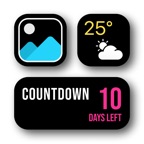
Widget Countdown is the fix: it displays countdowns to any event you add — birthdays, trips, project deadlines, concert dates — in multiple widget sizes with customizable designs.
Premium is sold as weekly, monthly, or yearly subscriptions, plus a one-time Unlimited Access purchase ($9.99).
Where this integrates with iOS specifically: the countdowns can pull from your calendar, so you don’t have to enter dates twice.
Pricing: Free to download, with premium subscriptions and an Unlimited Access purchase ($9.99) as in-app purchases.
Sticky Notes Widget — Notes That Live on Your Home Screen

Sticky Notes Widget puts your notes on your home screen and lock screen. Sticky Notes Widget solves this: you write notes in the app and set them as home screen or lock screen widgets, with text, checklists, photos, and custom fonts and colors.
The use cases are specific but high-value: a grocery list on your home screen, a daily affirmation that greets you when you wake up, a packing list visible from your lock screen while you’re at the airport. The free tier supports one note. Sticky Notes+ is a subscription ($2.99 and $19.99 options) that unlocks all features and unlimited notes.
The lock screen integration is what makes this more than just a digital Post-it. Being able to see a shopping list or a quick reminder without unlocking your phone removes enough friction to actually change behavior.
Pricing: Free (1 note). Sticky Notes+ subscription: $2.99 or $19.99.
How These Apps Work Together
The real power comes from combining them.
Apple built the plumbing. These apps built the faucets.
Our pick: Lock Launcher. It’s the one that’ll change how you use your phone on day one. One touch from the lock screen can launch your most-used apps and Shortcuts, and there’s a lifetime option if you’d rather not track a subscription..
Related: Check out our new guide: Global Entry’s App Is Gone: What the New Trusted Traveler App Does (and Which App to Delete)
Related: Check out our new guide: 7 Best iPad Apps for the New iPad mini: What to Install First
Frequently Asked Questions
Do these apps work on older iPhones?
Requirements vary: Foqos needs iOS 17.6, while most of the others work on iOS 16 or earlier. Lock Launcher requires iOS 16 or later. Check each listing’s compatibility section to confirm your iPhone and iOS version are supported.
Are these apps safe to give permissions to?
Each app requests specific permissions: Lock Launcher needs lock screen widget access, Foqos needs Screen Time API access. Check the App Privacy labels on each listing — Check the App Privacy labels on each listing, since they differ a lot between these apps..
Can I use these alongside Apple’s built-in Focus modes?
Check each app’s listing to see how it works with your Focus setup.
Do I need iOS 27 specifically for these?
No. Most of these apps run on iOS 16 or earlier; Foqos needs iOS 17.6. The “iOS 27” in the title refers to the current state of the platform — these are the capabilities that exist now, not features exclusive to the newest update.
How much will all six cost if I buy the premium versions?
Pricing varies: Foqos is free with optional tips, while the others offer in-app purchases or subscriptions, so check each app’s listing before buying.).
Related posts: – Best iPhone Apps for Neurodivergent Adults in 2026 — focus and productivity tools – Siri AI on iPhone: Which Third-Party Apps Actually Work — Shortcuts and automation – How to Use iPhone Focus Modes to Actually Get Things Done