
Canva is the best of the graphic design apps for most iPhone users: it’s free to download, it has the highest rating on this list (4.87 stars from 3,599,996 ratings), and it covers social posts, flyers and presentations in one place. If you need a logo, Linearity Curve gives you real vector tools, and AI Logo Maker and Boon are the faster, template driven routes.
The mistake most people make is picking by the number of tools. Pick by the finished file instead. A flyer for Friday, a logo you can hand to a printer, and an icon set that scales to any size are three different jobs, and different apps handle them best. This list sorts six apps by the asset you’re making and flags where a paywall, a watermark fee or a subscription is likely to catch you. Illustration apps are left out on purpose; the site already covers those in our guide to drawing and digital art apps.
Jump to a section
- Quick Picks
- Comparison Table
- Canva
- Adobe Express
- AI Logo Maker
- Linearity Curve
- Boon
- Assembly
- Which One Should You Pick?
- Frequently Asked Questions
- What is the best graphic design app for iPhone?
- Are there free graphic design apps for iPhone?
- Which app is best for making a logo?
- Do these apps work on iPad too?
- Which of these apps carry Apple’s “Contains Advertising” label?
Quick Picks
- Best for social posts and flyers: Canva, the most rated app here and free to download
- Best for brand consistency: Adobe Express, brand kits and QR codes in one app
- Best for a quick AI logo: AI Logo Maker, describe it, pick a style, export
- Best for real vector work: Linearity Curve, Bezier tools and SVG, AI and PDF export
- Best for template based logos: Boon, thousands of editable logo templates
- Best for simple shapes and icons: Assembly, combine shapes and export SVG
Comparison Table
| App | Best For | Price | Rating |
|---|---|---|---|
| Canva | Posts, flyers, presentations | Free + IAP | ★4.87 |
| Adobe Express | Branded marketing content | Free + IAP | ★4.83 |
| AI Logo Maker | Fast AI generated logos | Free + IAP | ★4.67 |
| Linearity Curve | Vector logos and print files | Free + IAP | ★4.52 |
| Boon | Template based logos | Free + IAP | ★4.75 |
| Assembly | Icons and simple vectors | Free + IAP | ★4.50 |
Every app here is free to download. None of them is free in the full sense, since each lists in-app purchases or subscriptions.
Canva — Best for Social Posts and Flyers


Canva is the app to start with if the end product is something you’ll post, print or present. The developer’s description lists presentations, resumes, social media content, a photo editor with a background eraser, collages, and a video editor. It’s rated 4.87 stars from 3,599,996 ratings, it’s an Editors’ Choice app, and it runs on iPhone, iPad and Mac.
What makes it quick is that you start from a template rather than a blank page. The description also says everyone gets 5GB of storage, which matters if you keep designing across devices.
Why this one over Adobe Express? Canva has far more ratings behind it, and its description centers on templates and everyday content. Adobe Express is the better fit when brand consistency is the whole point (more on that below).
The trade-offs are sourced and plain. Canva Pro is a subscription: the App Store list includes Canva Pro – Monthly at $14.99 and Canva Pro – Yearly at $119.99, plus Canva Business and Teams plans. The privacy labels also list a long set of data linked to you, including purchases, location, contact info, user content and search history. And one recent reviewer (1★, 2026-11-02) said the app has become much worse since AI features were added.
Pricing: Free to download, with in-app purchases (Canva Pro – Monthly: $14.99; Canva Pro – Yearly: $119.99).
Adobe Express — Best for Staying on Brand

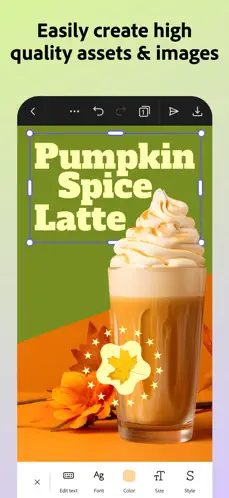
Adobe Express is aimed at people making marketing material that has to look consistent: small business owners, teams, anyone who has ever sent out three flyers in three different fonts. The developer’s description highlights brand kits, branded QR codes, one tap background removal, resizing, and AI photo tools. It’s rated 4.83 stars from 369,633 ratings and carries an Editors’ Choice badge.
The lesser known feature worth knowing is the QR code generator. The description says you can pick custom styles and colors to match your brand, which saves you a separate QR app for menus and flyers.
Why not Canva? If you already live in Adobe’s world, or the brand kit is the feature you’ll use daily, Express makes more sense. If you just want the biggest template pool, Canva has the edge in ratings and reach.
Limitations from the sheet: it needs iOS 18.0 or later, it’s iPhone and iPad only (no Mac listing), and its App Store age rating includes “Contains Advertising”. Paid plans include Adobe Express Monthly: $9.99, with Adobe Express Yearly at $99.99. One recent reviewer (1★, 2026-10-31) said short clips took a long time to upload and audio kept dropping out, which is video rather than design, but worth knowing if you plan to mix the two.
Pricing: Free to download, with in-app purchases (Adobe Express Monthly: $9.99; Adobe Express Yearly: $99.99).
AI Logo Maker — Best for a Fast First Logo

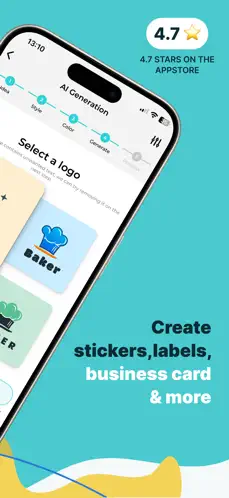
AI Logo Maker does one thing quickly. You describe the logo, pick a style (the description names minimalist, modern, vintage, playful and geometric), choose a color palette, and tap “More Like This” to explore variations. Then you export in HD. It also includes tools for flyers, posters, stickers and invitations, so it stretches a little past logos.
The developer says it has generated over 10 million logos. That’s their claim, not an independent figure. The app itself is rated 4.67 stars from 100,708 ratings.
This is where the watermark question comes in. The in-app purchase list includes a separate “Remove Watermark” item at $1.99, along with Unlock All Fonts at $1.99 and a Yearly Subscription at $39.99. So expect to pay something before you get a clean export you can use commercially. Check what’s included before you hand over a card.
Why choose it over Boon? AI Logo Maker starts from your description; Boon starts from a template library. If you don’t know what you want, the AI route is quicker. If you do, templates give you more control.
Reviewers are not all happy. One 1★ reviewer (2026-10-01) said they paid for the yearly subscription and the app wouldn’t generate a logo for about six months. A 4★ reviewer (2026-09-13) called the editing tools “very basic” and said they couldn’t change the background color. Both are single reports, so treat them as warnings rather than the rule.
Pricing: Free to download, with in-app purchases (Yearly Subscription: $39.99; Remove Watermark: $1.99).
Linearity Curve — Best for Real Vector Work


Linearity Curve (formerly Vectornator) is the serious option. The description lists Bezier Pen and Node tools, a Shape Builder, boolean operations, text on path, multiple artboards, and Auto Trace, which converts sketches, photos or scanned artwork into editable vector paths. Export covers SVG, AI, PDF, PNG, JPG and TIFF, with full RGB and CMYK support for screen and print. That CMYK support is the detail that matters if a printer will touch your file.
It’s rated 4.52 stars from 14,469 ratings, runs on iPhone, iPad and Mac, and has an Editors’ Choice badge. Version 7.1.2 landed on 2026-10-28.
Why this over Assembly? Curve has a full layer system, artboards and professional export formats. Assembly is simpler and cheaper. Pick Curve when the logo needs to work on a business card and a billboard.
Some recent reviewers are positive. Two recent 5★ reviewers (2026-10-27 and 2026-10-26) said it’s easy to use for a new designer and praised the background removal and Auto Trace. The cost is the subscription ladder: the App Store list shows weekly ($7.99), monthly ($14.99) and several yearly plans, so check which plan you’re buying.
Pricing: Free to download, with in-app purchases (Monthly: $14.99; Yearly: $59.99).
Boon — Best for Template Based Logos


Boon is the pick when you want to start from something finished and tweak it. The developer’s description says there are over 10K+ customizable logo templates and more than 6,000 fonts, symbols, shapes, icons and backgrounds (their numbers, not an independent count). Templates sit in 13 categories, from Badge and Letter-based to Vintage and Animal. It’s a universal iPhone and iPad app with iCloud support, so you can start on one device and finish on another.
The latest update (version 2.23.8, 2026-10-20) added what the developer calls a new AI Agent for creating logos. It’s rated 4.75 stars from 81,987 ratings.
Limitations: the subscription is the main hurdle, with Pro Subscription Weekly listed at $8.99 and Pro Subscription Annual at $78.99. The privacy labels are also the heaviest in this group on tracking, listing purchases, user content, identifiers, usage data and diagnostics under data used to track you.
Reviews split. A 5★ reviewer (2026-10-29) said their business uses it for all its advertisements and it has most of what they need. A 1★ reviewer (2026-10-28) said it couldn’t do the simplest task, even with logos that were already created.
Pricing: Free to download, with in-app purchases (Pro Subscription Weekly: $8.99; Pro Subscription Annual: $78.99).
Assembly — Best for Simple Shapes and Icons


Assembly (listed as Vector & SVG Maker) takes a different approach: you build graphics by combining, cutting and intersecting basic shapes, with Bezier point editing when you need it. The description says it imports SVG, PNG and JPG and exports SVG, PNG, PDF and JPG up to 8192 x 8192, with 25 hand selected fonts or your own imported ones. It’s the leanest app here and the best fit for icons and quick logo ideas.
It’s rated 4.50 stars from 10,787 ratings, from Pixite Inc., and last updated 2026-09-28 (version 2.5).
The honest warning is the pricing change. Three recent reviewers (2026-10-30, 2026-10-07 and 2026-10-03) raised problems: one said it stopped working on an iPhone 15 after about six months, and two complained about the new subscription model. The App Store list shows Assembly Pro at several price points from $1.99 to $29.99, plus a discontinued “Forever Unlock” at $9.99. Don’t assume the old one time purchase still applies.
Pricing: Free to download, with in-app purchases (Assembly Pro: $1.99 to $29.99 across listed options).
Which One Should You Pick?
1. Posts, flyers, slides: Canva. Biggest audience, widest template pool.
2. Consistent brand material: Adobe Express, if you need brand kits and have iOS 18.0 or later.
3. A logo in five minutes: AI Logo Maker. Check the watermark and font unlock costs first.
4. A logo a printer can use: Linearity Curve, for CMYK and vector export.
5. A template to adapt: Boon, if you can accept the subscription.
6. Icons and shape based logos: Assembly, with the subscription caveat above.
If you also want to sketch your own artwork before turning it into vectors, the site’s roundup of free drawing apps with no subscription is the place to start.
Our pick: Canva. It’s the most rated and highest rated app here, and it covers the widest range of everyday design jobs.
Frequently Asked Questions
What is the best graphic design app for iPhone?
For most people it’s Canva: 4.87 stars from 3,599,996 ratings, free to download, with Canva Pro as an optional subscription. For vector and print work, Linearity Curve is the stronger tool.
Are there free graphic design apps for iPhone?
All six apps here are free to download, but each lists in-app purchases or subscriptions. Check the pricing line under each app before relying on a free tier for final exports.
Which app is best for making a logo?
Linearity Curve for editable vector logos with SVG, AI and PDF export. AI Logo Maker and Boon are faster if you’d rather start from a description or a template.
Do these apps work on iPad too?
All six list iPad support in their platform data. Linearity Curve also lists Mac, and Canva lists Mac as well.
Which of these apps carry Apple’s “Contains Advertising” label?
Only Adobe Express carries Apple’s “Contains Advertising” age-rating label. The other five listings don’t.
Is your app on this list? Add a free "Featured on iOS App Lists" badge to your website or press kit.