
Published Jul 2, 2026 · Updated Nov 7, 2026
Jump to a section
Managing ADHD as an adult isn’t about trying harder — it’s about finding tools that work with your brain instead of against it. The right iPhone app can bridge the gap between intention and action, turning an overwhelming day into something manageable. We compared dozens of apps across visual planning, task management, focus timers, habit building, and ADHD-specific coaching to find the ones that actually deliver.
This list focuses on tools that address executive function, time blindness, task paralysis, and the daily friction of a neurodivergent brain — not generic productivity apps with an ADHD label slapped on.
- Structured — #1 pick, visual daily planner (4.8★, 161K ratings)
- TickTick — tasks + calendar + Pomodoro in one app (4.86★, 44K ratings)
- Forest — gamified focus timer, 60M users
- Goblin Tools — built for neurodivergent brains ($0.99))★)
- Finch — self-care pet, highest-rated on this list (4.95★, 720K ratings)
Quick Picks
| Best for… | App | Rating | Price |
|---|---|---|---|
| Visual daily planning | Structured | 4.80★ | Free / $9.99/yr |
| All-in-one task + calendar + focus | TickTick | 4.86★ | Free / $49.99/yr |
| Task management powerhouse | Todoist | 4.80★ | Free / $6.99/mo Pro |
| Gamified focus timer | Forest | 4.81★ | Free / Plus subscription |
| Neurodivergent-specific tools | Goblin Tools | 4.78★ | $0.99 / Pro $3.99/mo |
| ADHD coaching & CBT | Inflow | 4.38★ | Free / Subscription |
| Self-care & habit building | Finch | 4.95★ | Free / $69.99/yr |
| Neurodivergent AI planner | Tiimo | 4.58★ | Free / $5.99/mo |
Ratings and pricing subject to change.
1. Structured — Best Visual Daily Planner


 Most to-do apps are just lists. And for a neurodivergent brain, a list is often where tasks go to die. Structured solves this by turning your day into a visual timeline — each task gets a color-coded block that sits on an actual timeline you can see. You drag and drop tasks around the timeline.
What makes Structured stand out for ADHD and executive function challenges: it accounts for time blindness. The visual timeline shows you exactly how much of your day is already spoken for, which makes it much harder to overcommit. The app offers Live Activities, widgets and custom notifications (Pro) — crucial for anyone who hyperfocuses and loses track of time. It also integrates with Apple Calendar and Reminders, pulling in existing commitments without requiring you to migrate everything.
The free tier covers the basics: a visual drag-and-drop timeline, an inbox, sub-tasks, a Pomodoro focus timer, and widgets. Structured Pro ($9.99/year) unlocks calendar and Reminders connections, recurring tasks and routines, AI-powered day planning, and automatic replanning of missed tasks. The iOS widget puts your current task on your home screen, which acts as a persistent visual anchor — a small thing that makes a surprisingly big difference for working memory.
Price: Free; Pro: from $9.99/year. iTunes Rating: 4.80★ (161,476 ratings). Last Updated: October 28, 2026 (v4.6.7))).
2. TickTick — Best All-in-One Task + Calendar + Focus Timer

 If app-switching is a productivity killer for you (and for most ADHD brains, it is), TickTick is the closest thing to a single-app workflow. It combines a full-featured task manager, a calendar view, a habit tracker, and a built-in Pomodoro timer — four tools that neurodivergent adults typically juggle across separate apps. Consolidating into one reduces the friction of “which app do I open for this?” and keeps everything in one place.
TickTick’s standout feature for neurodivergent users is natural language input. You can type “Call dentist Thursday at 2pm #health !high” and it recognizes the date and time automatically. This is critical for capturing thoughts before they evaporate — a common ADHD experience. The Eisenhower Matrix view also helps with executive function by visually sorting tasks into urgency/importance quadrants, so you stop treating everything as equally critical. When the friction is the typing itself, a keyboard that predicts better than Apple’s default helps more than any task manager, and we compared the two main alternatives in Gboard vs SwiftKey.
The Pomodoro integration is genuinely useful: it includes a built-in Pomo timer and tracks your focus time. The app also supports collaboration (shared lists for household management) and sync across your devices. Premium ($49.99/year) adds higher list and task limits, calendar subscriptions, a calendar grid view, and custom Smart Lists. Free tier is surprisingly generous for personal use.
Price: Free; Premium: $49.99/year. iTunes Rating: 4.86★ (44,076 ratings). Last Updated: October 30, 2026 (v8.2.41))).
3. Todoist — Best Task Management for Complex Lives

 Todoist is the most mature task manager on this list — 50 million users, 127,000 ratings, and a 4.80★ average. For neurodivergent adults managing work, side projects, and personal life simultaneously, its strength is organizational depth without forced complexity. You can use it as a simple checklist or build nested projects with labels, filters, and priorities — it scales with you instead of forcing a specific methodology.
The killer feature for ADHD brains is natural language date parsing that goes beyond basics: “things like “Submit report every Friday at 4pm #Work”). Quick Add lets you capture a task fast, with dates, labels and reminders typed in. — before your working memory drops it. Recurring tasks mean you set up your morning routine once and it repeats.
). The Board view gives you a Trello-style kanban alternative to the list view, which some visual thinkers prefer. Pro ($6.99/month) is the paid upgrade.
Price: Free; Pro: $6.99/month. iTunes Rating: 4.80★ (126,911 ratings). Last Updated: November 2, 2026 (v26.10.35))).
4. Forest — Best Gamified Focus Timer

 Sometimes you don’t need another productivity system — you just need to stay off your phone. Forest takes the simplest possible approach to focus: you set a timer, and as long as you don’t leave the app, a tree grows. Leave early? The tree dies. That’s it. But that simple premise — used by 60 million people — leverages a psychological mechanism that works especially well for ADHD: immediate, visual consequences for distraction.
Forest addresses two ADHD-specific challenges. First, task initiation: the growing tree gives you a reason to start that doesn’t feel like a demand. Second, phone compulsion: the tree-wilting penalty creates just enough friction to interrupt the automatic “pick up phone, open Twitter” loop. Over time, you build an actual forest representing hours of focused work — a visual record of productivity that’s more satisfying than any streak counter.
The free version lets you grow trees during focus sessions with a basic timer. Forest Plus (a subscription) adds 3x coin rewards, Plus-only tree species, and the ability to turn your focus into a real tree through Trees for the Future — the community has planted over 2 million real trees. The app also lets you co-plant trees with friends and family during shared focus sessions.).
Price: Free; Forest Plus: subscription. iTunes Rating: 4.81★ (48,624 ratings). Last Updated: October 31, 2026 (v5.33.0))).
5. Goblin Tools — Built Specifically for Neurodivergent Brains

 Goblin Tools is created with neurodivergent people in mind — and it shows. Instead, it offers nine practical tools that directly address common executive function challenges: breaking down tasks, estimating time, formalizing text, judging tone, compiling lists, and even inventing recipes from the ingredients you already have (the “Chef” tool)).
The Magic ToDo feature is the standout. You type something like “clean the kitchen” and it breaks it into sub-steps: “clear counters”, “load dishwasher”, “wipe surfaces”, “sweep floor”. This solves a core ADHD struggle — knowing what needs to be done but freezing on where to start. The Estimator tool takes a task and gives you a realistic time estimate, helpful for combating time blindness.
The Formalizer and Judge tools address social communication challenges common in neurodivergence. The Formalizer rewrites text to be more formal, less emotional, or more professional — useful for emails you’re overthinking. The Judge analyzes the tone of incoming text, helping you interpret whether that message from your boss is actually passive-aggressive or you’re reading into it (a common autistic/ADHD experience). At $0.99, with an optional Pro subscription for syncing and extras, it’s an affordable neurodivergent toolkit.
Price: $0.99; optional Goblin Tools Pro: $3.99/month or $39.99/year..). iTunes Rating: 4.78★ (2,940 ratings). Last Updated: August 23, 2026 (v2.1.1).
6. Inflow — ADHD Coaching & CBT in an App

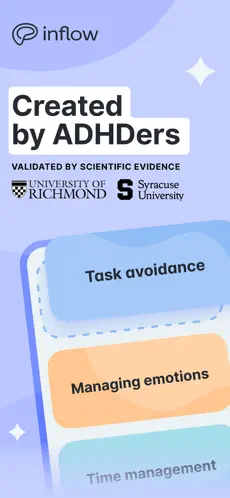 Inflow is an ADHD-focused app built around cognitive behavioral therapy (CBT) principles — it’s built by clinicians and ADHD coaches using cognitive behavioral therapy (CBT) principles. While the other apps help you manage tasks and focus, Inflow helps you understand why certain things are hard and gives you evidence-based strategies to work with your brain rather than against it.
The app is structured around daily learning modules — 5-minute sessions that teach you about executive function, emotional regulation, motivation science, and ADHD-specific coping strategies. The app also offers live or on-demand body doubling and coworking sessions and a community for peer support. For newly diagnosed adults especially, Inflow fills the gap between a diagnosis and actually understanding what to do about it.
Inflow’s strength is that it treats ADHD as a neurotype to work with, not a deficit to fix. The content emphasizes self-compassion and realistic strategies over “just try harder” advice. The full program requires a subscription. It’s worth noting that Inflow is not a replacement for therapy or medication — it’s a supplemental tool that works alongside professional treatment.
Price: Free to download; full program: subscription-based. iTunes Rating: 4.38★ (5,577 ratings). Last Updated: August 25, 2026 (v3.3.8)).
7. Finch — Best Self-Care & Habit Builder

 With a staggering 4.95★ average across 720,000 ratings, Finch is not just the highest-rated app on this list — it’s one of the highest-rated apps in the entire App Store. The premise is simple: you care for a tiny bird by completing self-care tasks. But the execution is what makes it work for neurodivergent brains: self-care exercises are framed as things you do for your pet.
Finch is built to make self-care feel rewarding, lightweight, and fun. Exercises include guided breathing, goal tracking, mood tracking, and bullet journaling prompts.
The app also includes guided exercises: breathing exercises, mood check-ins, quizzes, and journaling prompts — all framed as things you do for your bird, which externalizes motivation in a way that works well for ADHD. Finch Plus ($69.99/year) adds more customization, exercises, and insights. The free tier is generous enough to be genuinely useful long-term.
Price: Free; Finch Plus: $69.99/year. iTunes Rating: 4.95★ (720,117 ratings). Last Updated: November 6, 2026 (v3.73.236)))).
8. Tiimo — AI Planner Designed for Neurodivergent Thinking

 Tiimo was named iPhone App of the Year 2025 and was an Apple Design Awards finalist in 2024 — but more importantly, it was built specifically with neurodivergent users in mind. The app combines a visual daily planner with AI-powered scheduling, and a neurodivergent-friendly design co-created with ADHD and autism experts.
Tiimo’s visual timeline is similar to Structured’s, but with key neurodivergent-specific additions: mood check-ins, a calming focus timer, and a community hub with tips from neurodivergent teens and adults. The AI Co-Planner helps you create, prioritize and plan tasks. It also won the Best Assistive Technology award at the 2022 Neurodiversity Awards.
What sets Tiimo apart is its sensory-conscious design: a color-coded visual schedule, a calming focus timer, and 100% ad-free design. For users with sensory processing differences, this matters more than any feature list. The free tier gives you basic planning; Tiimo Pro is a subscription that unlocks the full feature set and web access.
Price: Free; Pro: subscription. Last Updated: October 21, 2026 (v3.70.1)).).
Full Comparison Table
| App | Price | Rating | Best For | Key Feature |
|---|---|---|---|---|
| Structured | Free / $9.99/yr | 4.80★ (161K) | Visual daily planning | Color-coded timeline with time blindness support |
| TickTick | Free / $49.99/yr | 4.86★ (44K) | All-in-one workflow | Tasks + Calendar + Pomodoro in one app |
| Todoist | Free / $6.99/mo | 4.80★ (127K) | Complex task management | Natural language input + recurring tasks |
| Forest | Free + subscription | 4.81★ (49K) | Focus & phone reduction | Grow trees by staying off your phone |
| Goblin Tools | $0.99 / Pro $3.99/mo | 4.78★ (2.9K) | Executive function tools | AI task breakdown + tone analysis |
| Inflow | Free / Subscription | 4.38★ (5.6K) | ADHD coaching & CBT | Clinician-designed daily learning modules |
| Finch | Free / $69.99/yr | 4.95★ (720K) | Self-care & habits | Guilt-free pet care = self-care |
| Tiimo | Free / $5.99/mo | 4.6★ | Neurodivergent AI planning | App of the Year 2025, sensory-conscious design |
FAQ
What makes an app “neurodivergent-friendly”?
Neurodivergent-friendly apps prioritize features that address common ADHD and executive function challenges: visual timelines (to combat time blindness), low-friction task capture (to catch thoughts before they disappear), flexible notification systems (not just “do this now”), forgiveness for missed days (no broken streaks that demotivate), and minimal visual clutter. The best apps also avoid dark patterns like guilt-tripping notifications or intentionally addictive design. Apps built specifically for neurodivergent users — like Goblin Tools and Tiimo — go further with task breakdown and planning tools designed with neurodivergent people in mind.
Are these apps a substitute for ADHD medication or therapy?
No. None of the apps on this list are medical treatments or replacements for professional care. Apps like Inflow provide CBT-based education and coping strategies that complement professional treatment, and tools like Structured and Forest can help with daily executive function challenges — but they are productivity aids, not clinical interventions. If you have ADHD, work with your healthcare provider to determine the right treatment plan. These apps are best understood as tools in your broader management toolkit, alongside (not instead of) medication, therapy, and coaching.
Do I need to pay for these apps, or are the free versions enough?
Most apps on this list have genuinely useful free tiers. Structured’s free version includes the visual timeline, inbox, sub-tasks and a Pomodoro timer.). TickTick and Todoist both have excellent free plans for personal use. Forest is free to download, with an optional Forest Plus subscription and in-app purchases. Goblin Tools costs $0.99, with an optional Pro subscription for syncing and extras. Finch is generous in its free tier. The premium upgrades typically add features like unlimited tasks, advanced scheduling, or collaboration — worth considering after you’ve confirmed the app works for your brain.
Editor’s Pick
If you download only one app from this list, make it Goblin Tools. It’s created with neurodivergent people in mind. The Magic ToDo task breakdown alone is worth the $0.99: it solves the “I know what I need to do but I can’t figure out how to start” paralysis that defines executive dysfunction better than any other app on this list. Pair it with Structured (free) for visual daily planning, and you have a two-app system that covers both the “what do I do” and “when do I do it” challenges. For focus specifically, Forest is the simplest, most effective tool — it turns staying off your phone into a game where you literally grow trees, and that small shift in framing makes a surprising difference.
Looking for more productivity tools? Check out our guide to the best must-have iPhone apps in 2026 or our roundup of the best iPhone apps for college students — many of which overlap with neurodivergent-friendly design principles.
Is your app on this list? Add a free "Featured on iOS App Lists" badge to your website or press kit.