
Published Mar 20, 2026 · Updated Nov 3, 2026
The best iPhone photography apps for most people are Snapseed for editing and Halide Mark III for shooting. Snapseed is a free editor, and Halide gives you full manual control and RAW without a cluttered interface. If you already edit on a computer, Adobe Lightroom is the better pick because it offers AI-powered editing tools and batch editing.
The iPhone camera has never been more capable, but the stock Camera app deliberately keeps things simple. It hides the manual controls, the RAW options, and the color grading tools a serious photographer reaches for. The right third-party app unlocks all of it, and the difference shows up in the final image, not the spec sheet.
Most “best camera app” roundups stop at naming the usual suspects. This one is different. The ten apps below each earn their slot by doing one thing genuinely better than everyone else. There’s a free editor that belongs on every iPhone, a pro camera app built around manual control, and a couple of picks most lists skip.
Jump to a section
Quick Picks
- Best pro camera: Halide Mark III, full manual control and RAW without a cluttered interface
- Best free editor: Snapseed, completely free with no ads and no catch
- Best for professionals: Adobe Lightroom, AI-powered editing with batch tools
- Best iOS-native editor: Darkroom, RAW and ProRAW editing built for Apple platforms
- Best for film presets: VSCO, the film emulations everyone else copies
- Best for portrait retouching: Facetune, still the standard for face edits
- Best all-in-one camera: ProCamera, manual stills plus a real video mode
- Best Lightroom alternative: Photomator, now owned by Apple, no Adobe required
- Best for cinematic video: Filmic Pro, the pro video tool, warts and all
- Best for sharing: Canva, turn finished photos into polished posts
The Ten Apps at a Glance
| App | Best For | Price | Rating |
|---|---|---|---|
| Halide Mark III | Pro camera + RAW | Free / $19.99/yr | ★4.4 |
| Snapseed | Free editing | Free | ★4.9 |
| Adobe Lightroom | Pro editing + sync | Free / subscription | ★4.8 |
| Darkroom | Native iOS editing | Free / subscription | ★4.8 |
| VSCO | Film presets | Free; Plus $39.99/yr, Pro $69.99/yr | ★4.7 |
| Facetune | Portrait retouching | Free / subscription | ★4.6 |
| ProCamera | Manual camera + video | Free / in-app | ★4.7 |
| Photomator | Lightroom alternative | Free / subscription | ★4.5 |
| Filmic Pro | Cinematic video | Free / subscription | ★3.7 |
| Canva | Social design | Free / Pro | ★4.9 |
Halide Mark III — Best Pro Camera App for iPhone


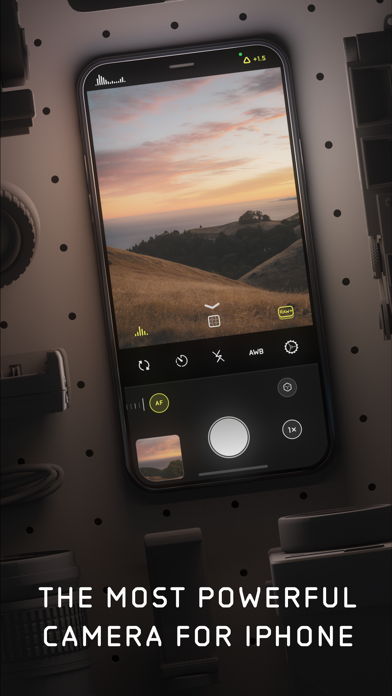
Halide is the most thoughtfully designed pro camera app on iOS, built by Lux Optics, who have spent nine years obsessing over how a camera should feel. Mark III is built around manual controls and film-simulation Looks. It keeps the gesture-based manual controls for focus, exposure, ISO, and shutter speed, and it layers on film-simulation Looks built into the camera itself.
The standout feature is Process Zero, which bypasses Apple’s image processing entirely so your photos don’t get the aggressive AI sharpening and noise reduction the stock app applies. The result is natural color and real texture, the kind of look you’d get from a dedicated camera. For people who feel like they’re fighting their iPhone’s built-in processing, this alone justifies the app.
The tradeoff is cost and learning curve. Halide is free to download, but the pro tools sit behind a roughly $19.99 annual subscription or a $69.99 one-time unlock. If you just want quick snapshots, the stock Camera app is fine and faster. Halide is for people who want to control the shot, not have it decided for them. For the editing half of the job, we’ve rounded up the best photo editing apps for iPhone separately.
Snapseed — Best Free iPhone Photo Editor

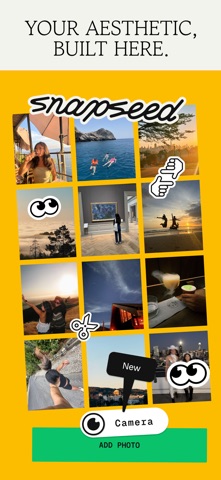
Snapseed is the rare free app that has no catch. Google built it, and Google never bothered to monetize it. You get 30+ pro tools, Healing for removing objects, Perspective correction, Curves, Selective adjustments, HDR, and portrait tools, with no ads, no subscriptions, and no in-app purchases of any kind. It’s free forever, and a 4.9 rating says the quality is real.
Editing is non-destructive, so you can undo changes or revert to your original photo at any time. That’s a feature most paid editors still don’t get right.
The honest criticism is that Snapseed looks dated. , and it’s owned by a company that’s let several beloved apps wither. Google could sunset it tomorrow, which is a real risk for a tool you’d build a workflow around. But for the price, nothing else comes close. It’s the first app to install.
Adobe Lightroom — Best for Professional Photo Editing

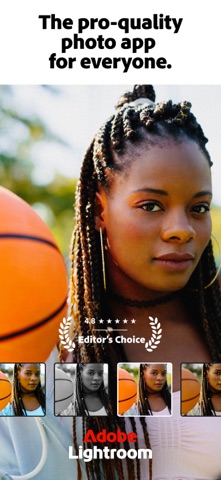
If Snapseed is the best free editor, Lightroom is the best professional one. The iPhone version offers Quick Actions, presets, color grading, batch editing, and AI Generative Remove, and it syncs everything through Creative Cloud so you can start an edit on your phone and finish it on a laptop. Adobe’s generative AI tools, like Generative Remove and Distraction Removal, arrived here first and are still the most polished versions of those ideas.
What makes Lightroom worth the cost is the ecosystem. Lightroom adds Quick Actions, community-shared presets, and batch editing. If you already pay for Adobe, the app is effectively free.
The downside is the subscription. Lightroom is free to download, but unlocking more needs a paid in-app plan. If you’re not already in the Adobe world, that’s a recurring bill for features you can mostly get elsewhere. For people who want a Lightroom alternative, Darkroom and Photomator are the two to look at, and we compared them in detail in our Darkroom review.
Darkroom — Best iOS-Native Photo Editor

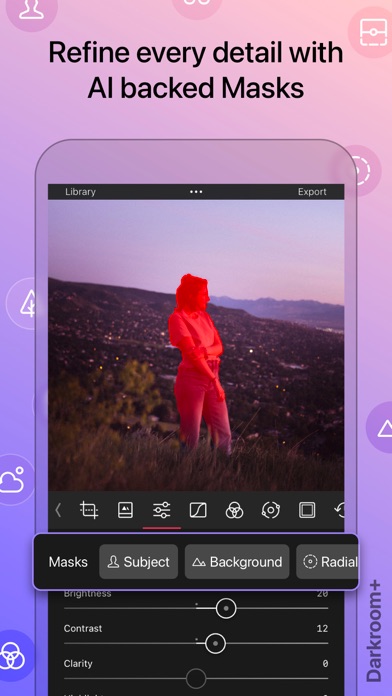
Darkroom is built only for Apple platforms, and it shows. It integrates with iOS features and handles RAW and ProRAW files.
The interface is clean and fast, RAW and ProRAW files are handled natively, and the batch editing feature applies the same adjustments to dozens of photos at once. Depth-based edits for skies, skin tones, and landscapes round it out. It’s the editor that feels most like it belongs on an iPhone, not a desktop app squeezed onto a screen.
The knock is the paywall. Darkroom is free to download, but the premium tools need a subscription, and it’s Apple-only, so there’s no Android or Windows fallback. If your whole life is inside the Apple ecosystem, that’s fine. If it isn’t, Lightroom is the better bet.
VSCO — Best for Film Presets

VSCO built its reputation on film emulation, and it’s still the best at it. The film looks inspired by Kodak, Fuji, and Agfa are considered, not just hue shifts. They capture how those films actually rendered color and contrast, which is why a whole generation of photographers learned to edit on VSCO and never left.
VSCO is free to download, and the $39.99 a year Plus subscription unlocks the full library of 200+ presets. The newer Tone Split and Film Grain tools add per-channel texture rather than a flat overlay, which is a small thing that makes a real difference in the final image.
The frustration is that the full preset library and AI tools sit behind a paid membership, and the app’s pivot toward a social community never quite landed. It’s still worth it for the presets alone, but test the free tier before you commit to a year.
Facetune — Best for Portrait Retouching

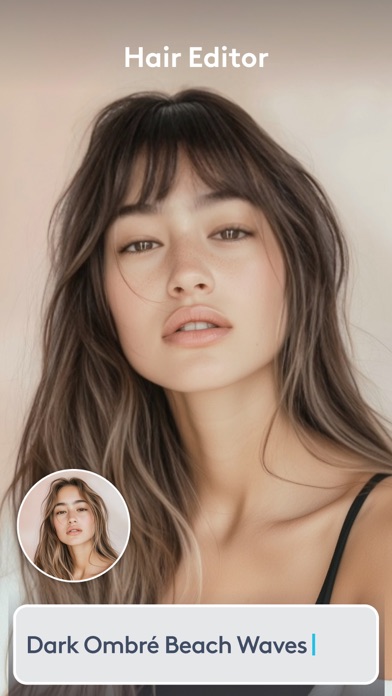
Facetune is the default app for portrait retouching, and it got there by solving the problem people actually have: making a face look better without making it look fake. Skin smoothing, teeth whitening, and facial reshaping are all built around the specific demands of a portrait rather than a general editor’s generic filters.
The AI tools are the strongest part. Headshots and one-tap Enhance are powered by AI, which is why Facetune can fix a selfie in seconds. For a natural-looking touch-up before you post, it’s in a different class from a general-purpose editor.
The honest caveat is the reputation. Facetune is powerful enough to produce obviously edited, uncanny results if you push the sliders too far, and its subscription has crept up over the years. It’s also a one-trick pony. It does portraits brilliantly and not much else. Use it for faces, and use something else for everything else. If you’re after a broader workflow, our guide on editing iPhone photos without Lightroom covers the free alternatives.
ProCamera — Best All-in-One iPhone Camera App

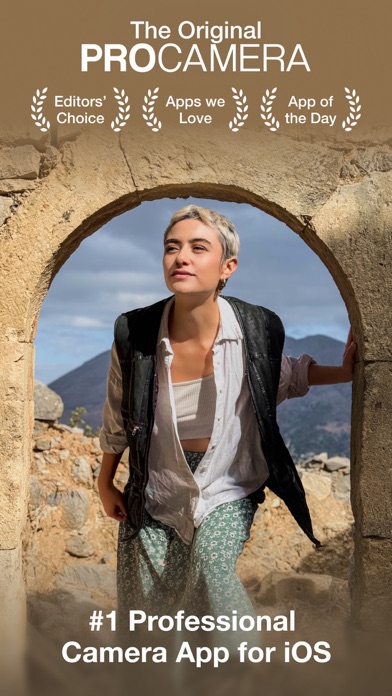
ProCamera has been refined over more than a decade into one of the most feature-complete camera apps on iOS. Beyond manual photo controls, it includes a built-in video mode with separate focus and exposure, an optional Night Camera & Long Exposure add-on for shooting in the dark, and a self-timer with burst options. RAW and TIFF capture are both supported.
Where Halide favors a minimal, gesture-driven experience, ProCamera gives you explicit controls for everything. Some people prefer that. If you want to dial in every setting and see exactly what’s happening, ProCamera is the more literal, button-driven option.
The tradeoff is that the interface can feel busy, and the sheer number of options is overwhelming if you’re not already comfortable with manual photography. It’s powerful but not beginner-friendly. If you want the same control with a cleaner design, Halide is the calmer alternative.
Photomator — Best Lightroom Alternative for iPhone

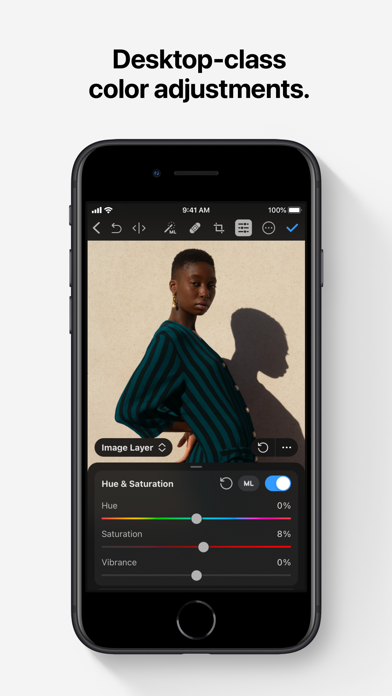
Photomator, from the makers of Pixelmator, is the strongest alternative to Lightroom for iPhone users who want professional editing without an Adobe subscription. It integrates directly with the Apple Photos library, edits ProRAW files natively, and includes AI tools for subject, sky, and background selection, plus a Repair tool for removing unwanted objects.
There’s a bigger story here worth knowing: Apple is now the publisher of Photomator. Photomator is now an Apple-owned app, which is both reassuring and a little uncertain. It suggests the app is here to stay, but it also means the roadmap is tied to whatever Apple has planned. For now, it’s excellent and actively maintained.
At around $39.99 a year, with a one-time purchase option available, it’s cheaper than Adobe’s photography plan. The catch is that it’s Apple-only and its editing model is a bit different from Lightroom’s catalog system. If you’ve left Adobe and want something that feels native to your iPhone, Photomator is the one.
Filmic Pro — Best for Cinematic iPhone Video

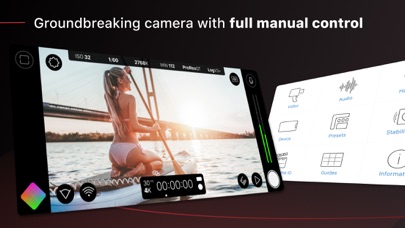
Filmic Pro is the industry standard for professional video on iPhone, used by filmmakers, journalists, and documentary crews. It offers manual video controls the native camera doesn’t have: separate focus and exposure tracking, sync and high-speed frame rates, log gamma curves, and ProRes capture.
A word on that 3.7 rating, because it deserves an explanation. Filmic Pro is now published by Bending Spoons and uses subscription pricing, which many reviewers complain about. A lot of long-time users felt burned. The underlying tool is still the most capable video camera app on iOS, but the pricing model and the ownership change are real considerations.
If you’re shooting serious video, the feature set still justifies the cost. If you’re a casual shooter, the native Camera app or ProCamera will cover you. And if editing is the part you actually care about, we’ve covered the best video editing apps for iPhone in a separate guide.
Canva — Best for Sharing and Quick Design

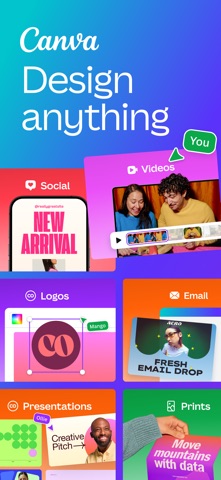
Canva isn’t a photo editor in the traditional sense. It’s a design tool that takes your finished photos and turns them into polished social posts, stories, presentations, or printed products. Drop in a photo, pick from thousands of templates sized for Instagram, TikTok, or YouTube, add text and design elements, and export in seconds.
With a 4.9 rating across more than three million reviews, it’s the most polished tool for the last step of the photography workflow: publishing. If you share regularly to social media, it belongs in the toolkit alongside a proper editor.
The tradeoff is that Canva is not where you fix a photo. Its editing tools are basic compared to everything else on this list, and the best features sit behind a Canva Pro subscription. Use it to package your work, not to create it.
How to Build Your iPhone Photography Workflow
The most effective approach is a three-step workflow instead of one app trying to do everything.
- Shoot: Halide Mark III or ProCamera for manual RAW capture, the native Camera app for quick shots.
- Edit: Snapseed if you want free and powerful, or Lightroom, Darkroom, or Photomator if you need more control.
- Share: VSCO for a consistent feed aesthetic, Facetune for portrait touch-ups, Canva for designed social content.
You don’t need all ten apps. Most photographers find that one camera app and one editing app cover 90% of the job. And if your library is getting out of hand before you even start editing, our roundup of the best photo organizing apps for iPhone will help you sort it out first.
Frequently Asked Questions
What is the best free photo editing app for iPhone?
Snapseed, without much competition. It’s completely free with no ads, no subscriptions, and no in-app purchases, and it offers 30+ pro tools including Healing and Curves. Install it before anything else.
What is the best iPhone camera app for RAW photos?
Halide Mark III for a minimal, gesture-driven experience, or ProCamera if you want explicit manual controls for everything. Both support RAW capture and work across the full iPhone camera system.
Is VSCO still worth using in 2026?
Yes, if you want its film presets, which remain among the best available. Note that some features have moved behind the subscription paywall over the years. Test the free tier before committing to the roughly $39.99 a year Plus plan.
What replaced Afterlight on iPhone?
Afterlight has been removed from the US App Store. Photomator is the closest modern equivalent, with film-inspired editing, native Apple Photos integration, and both subscription and one-time purchase pricing. It’s also now Apple-owned.
Which iPhone photography apps work best together?
Halide Mark III plus Snapseed is the classic low-cost combo. For a pro setup, shoot with Halide or ProCamera, edit in Lightroom or Darkroom, and publish through VSCO or Canva.
Our Pick
If you download one app from this list, make it Snapseed. It’s free, it’s genuinely excellent, and it covers most of what people need an editor to do. If you want to change how the photos themselves come out, Halide Mark III is the upgrade worth paying for, and it gives you real control over how the photo is captured. For everything else, the list above will point you to the right tool for the specific job.
Related: Photographing a holiday or an event? Our best iPhone apps for July 4th covers the fireworks and grilling side of the camera roll.
Is your app on this list? Add a free "Featured on iOS App Lists" badge to your website or press kit.