
Published Nov 15, 2026 · Updated Nov 17, 2026
Of all the apps for teens on iPhone, Quizlet is the one most worth installing first: it’s free to download, with in-app purchases, and it turns a teenager’s own notes, or even a recorded lecture, into flashcards and practice tests. For math homework, Photomath is the pick. It shows a problem worked out step by step, and its privacy label lists only data not linked to you.
A first iPhone fills up fast. Chat, music, homework, video, a first paycheck. Every app on this list is free to download, but that’s where the similarity ends. Some carry ads, some push hard on subscriptions, one holds real money and runs on a family plan, and a few collect a lot of data. Here’s what each one does, who it suits, and the catch in each, all taken from the App Store listings and what reviewers actually wrote.
Jump to a section
- Quick Picks
- Comparison Table
- Quizlet
- Photomath
- Duolingo
- Snapchat
- Spotify
- CapCut
- Greenlight
- Snagajob
- Finch
- Prices and Plans
- Prices and Plans at a Glance
- Building a Teen’s Starter Setup
- Which One Should You Pick?
- Frequently Asked Questions
- Are these apps for teens free?
- Which apps on this list show ads?
- What age rating do these apps have?
- Is Photomath just a way to cheat on homework?
- How can a teen keep their location private on Snapchat?
Quick Picks
- Best for studying: Quizlet. Turns notes and lectures into flashcards and practice tests.
- Best for math homework: Photomath. Scan a problem, see each step explained.
- Best for languages: Duolingo. Short lessons in 40+ languages, plus chess and math.
- Best for chatting with friends: Snapchat. Camera first messaging, with Ghost Mode for location.
- Best for music and podcasts: Spotify. Free streaming with ads, offline listening on Premium.
- Best for video editing: CapCut. Auto captions, background removal, keyframes and speed curves.
- Best for a teen’s first money: Greenlight. Family money app with a card and direct deposit.
- Best for finding a first job: Snagajob. Hourly jobs only, no in-app purchases.
- Best for self-care habits: Finch. Look after a virtual pet by looking after yourself.
Comparison Table
| App | Best For | Price | Rating | Age Rating | Ads |
|---|---|---|---|---|---|
| Quizlet | Studying and test prep | Free + IAP | ★4.8 | 4+ | Yes |
| Photomath | Math homework | Free + IAP | ★4.8 | 4+ | — |
| Duolingo | Languages, chess, math | Free + IAP | ★4.7 | 4+ | Yes |
| Snapchat | Chatting with friends | Free + IAP | ★4.5 | 13+ | Yes |
| Spotify | Music and podcasts | Free (Premium subscription) | ★4.8 | 13+ | Yes |
| CapCut | Video editing | Free + IAP | ★4.6 | 13+ | Yes |
| Greenlight | First debit card and allowance | Free download (family subscription) | ★4.8 | 4+ | Yes |
| Snagajob | Hourly job search | Free | ★4.7 | 4+ | — |
| Finch | Self-care and habits | Free + IAP | ★5.0 | 9+ | — |
Quizlet — Best for Studying


Quizlet is more than a flashcard app. Type, paste or upload notes and it builds a full study set. Record or upload a lecture and it turns the audio into organized study guides and flashcards, which saves the most tedious part of revising: copying things out.
The feature most students skip is Podcasts. Quizlet can turn a set or a study guide into conversational audio, so a bus ride or a walk home becomes review time. Learn mode adapts to what you get right and wrong, Practice Tests simulate the real thing, and spaced repetition brings back the cards you’re about to forget. There’s also Ask Quizlet, which gives explanations when you’re stuck on a homework problem.
The developer says over 60 million students, teachers and learners use it, including 2 in 3 high schoolers. That’s Quizlet’s own claim, but it explains why classmates will already be sharing sets.
Why this one? Flashcard apps are everywhere (see our best flashcard study apps for iPhone). Quizlet wins for teens because of the sheer amount of shared material and the lecture-to-flashcards step.
The catch: the free tier carries ads, and the paid plans (Quizlet Plus, Quizlet Plus Unlimited, Quizlet Go) sit on top. Its privacy label lists location, search history and usage data among the data used to track you. One reviewer who otherwise loves it wants “a search feature in the flash card sets” to jump to a topic.
Pricing: free to download, with in-app purchases. See the price table below.
Photomath — Best for Math Homework


Point the camera at a problem (handwritten, printed in a textbook, or on a screen) and Photomath solves it, then breaks the answer into small steps. It covers everything from basic arithmetic to calculus, and it handles word problems too.
Here’s the thing parents worry about: isn’t this just a cheating machine? The design pushes the other way. Photomath’s whole pitch is the “what” and “why” behind each step, and its Animated Steps show how one line of working turns into the next. Used after a teen has tried a problem, it works like a patient tutor who never sighs.
Privacy looks good too. Its privacy label contains only “Data Not Linked to You.” Photomath is now published by Google LLC, and Apple has given it an Editors’ Choice badge.
The catch: basic step-by-step explanations are free, but deeper help sits behind Photomath Plus. One frustrated reviewer said it solved one problem before asking them to buy premium. And two reviewers say the app kept pointing them toward Google or Google AI instead of giving an answer, which is worth knowing before the night before a quiz.
Pricing: free to download, with in-app purchases.
Duolingo — Best for Languages (and More)

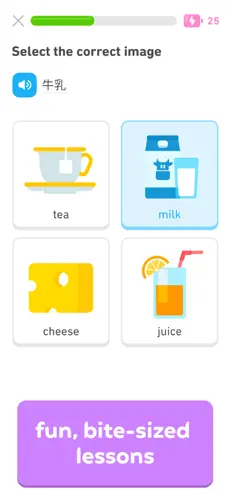
Duolingo teaches 40+ languages in short lessons that cover speaking, reading, listening and writing. A few short lessons a day is a realistic habit for a teenager, and the app is built around exactly that.
What many people miss: it isn’t only languages now. There’s a Chess course with lessons, puzzles and matches, a Math course the developer describes as standards aligned for elementary, middle and high school, and a Music course that teaches reading music and playing songs. For a teen who’s already on a streak, that’s a lot of free learning under one icon.
One reviewer said it helped them communicate with their best friend within a week, which is the whole point.
Why this one? If a teen wants something more structured or a specific language, our list of free language learning apps for iPhone has alternatives. Duolingo stays on top for teens because it makes showing up every day feel like a game.
The catch: the free version carries ads, and the store sells gems and Super Duolingo. One reviewer complained that the energy system limits them to one lesson a day unless they pay. Another reviewer wished it offered ASL.
Pricing: free to download, with in-app purchases.
Snapchat — Best for Chatting with Friends


Let’s be honest: if a teen’s friends are on Snapchat, a teen will want Snapchat. It opens straight to the camera. Tap for a photo, hold for video, add Lenses, Filters and Bitmoji, and send. Chat covers live messaging, Group Stories, and video calls with up to 16 friends at once.
The setting that matters most for families is on the Map. Snapchat lets you share your location with best friends, or, in its own words, “go off the grid with Ghost Mode.” Turning on Ghost Mode together on day one is a five minute job and a good conversation starter.
Snapchat carries a 13+ age rating and an Apple Editors’ Choice badge.
The catch: it’s ad supported and its privacy label is long. Contact info and identifiers are listed as data used to track you, and location, contacts, search history and user content are among the data linked to you. Paid extras include Snapchat+, Snapstreak Restore and extra Memories storage. Several reviewers complain about notifications they can’t turn off, even after disabling them in settings. If a teen just wants messaging, our list of free messaging apps for iPhone has quieter options.
Pricing: free to download, with in-app purchases.
Spotify — Best for Music and Podcasts


Spotify’s free tier lets you stream music and podcasts, build playlists and share them with friends. The developer says the library holds over 100 million songs and 6 million podcast titles. Discover Weekly drops a personal playlist every week, and collaborative playlists let a group of friends build one together, which is a fun thing to share for a road trip or a party.
Spotify Premium is where downloads for offline listening live, along with Spotify’s audiobook catalog. For a teen with a limited data plan, that difference matters more than it sounds.
One five-star reviewer summed up the appeal: they can listen to everything they love and they’re “not restricted.”
The catch: the free version has ads, and Spotify is rated 13+. Its privacy label is long: the data linked to you includes health and fitness, financial info, location and contacts. The App Store lists no in-app purchases; the Premium subscription is described in the app’s own description instead.
Pricing: free to download. Offline listening needs a Premium subscription.
CapCut — Best for Video Editing


CapCut puts a surprising amount of editing power on a phone. Trim, split and merge clips. Change speed anywhere from 0.1x to 100x with speed curves. Use keyframe animation, chroma key to remove a color, stabilization, and a multitrack timeline. The intelligent features do the boring parts: auto captions, text to speech in several voices, and automatic background removal.
The practical tip: auto captions alone make CapCut worth it for school projects. A presentation video with accurate subtitles looks finished in a way most teen projects don’t. CapCut has also improved its trimming tools recently, and it runs on Mac and iPad too.
The catch: reviewers say the app has shifted. One says their whole feed has been AI, and another says some effects are free and then “just go to premium randomly.” The free version carries ads, plans include monthly and yearly subscriptions, and it’s rated 13+. It’s published by BYTEDANCE PTE. LTD.
Pricing: free to download, with in-app purchases.
Greenlight — Best for a Teen’s First Money


Greenlight holds real money, so treat it differently from a homework app. The developer describes it as a family technology subscription that connects money, safety and everyday life. Parents and teens can send and receive money, and a teen with a first job can set up direct deposit.
The banking side is handled by Community Federal Savings Bank, Member FDIC, which also issues the Greenlight card under license from Mastercard. Family location sharing, SOS alerts and crash detection are listed for the Greenlight Infinity and Family Shield plans, so check which plan includes what on Greenlight’s help center before signing up.
Why this one? A teen learning to handle a paycheck, with a parent able to see what’s happening, is exactly the situation it’s built for. If a teen wants to track their own spending without a card, our free budget apps for iPhone cover that.
The catch: this is a subscription, not a free app, even though the download costs nothing. To qualify for savings rewards, the primary account must be in good standing with a verified funding account. The listing also declares ads, and its privacy label links financial info, location and contacts to you. One reviewer said the app was stressing their dad out and he wanted to quit but didn’t know how.
Pricing: free to download; Greenlight itself is a paid family subscription.
Snagajob — Best for Finding a First Job


Snagajob lists hourly jobs only, which is exactly what most teens are looking for: restaurants, retail, hospitality, customer service and seasonal work. The developer specifically calls it great for students and teens who need flexible hours.
The map search is the feature to use first. It shows who’s hiring nearby, which matters when a teen can only get to work by bike or bus. Filters cover distance, availability and job type, many jobs take a one-click application, and Daily Job Matches arrive by email. There are also personality quizzes that match you with suitable roles.
One reviewer said it “actually shows relevant jobs.” The listing shows no in-app purchases.
The catch: one reviewer closed their account the same day and still got an email from a company asking them to finish an application. Its privacy label lists browsing history and location among data linked to you. Set up a separate email address for job hunting.
Pricing: free.
Finch — Best for Self-Care Habits


Finch gives you a small virtual pet that grows when you take care of yourself. Morning mood check-ins send the pet off exploring, and the day fills with small habits: goal tracking, bullet journaling, breathing exercises and quizzes.
Teen life is stressful, and journaling apps tend to get abandoned in a week. Finch works because the pet makes the small stuff feel rewarding. Reviewers say the same thing in their own words: one credits it with encouraging them to do the little things they forget, and another says it helps them let out worries without a serious conversation. It has an Apple Editors’ Choice badge.
The catch: Finch Plus and a Guardian Program are sold in the app, so not everything is free. And it’s a self-care habit tool, not therapy. A teen who’s really struggling needs a real person, not only a pet.
Pricing: free to download, with in-app purchases.
Prices and Plans
Prices and Plans at a Glance
| App | Download | In-app purchases (from the App Store listing) | Ads | Last updated |
|---|---|---|---|---|
| Quizlet | Free | Quizlet Plus Unlimited: $44.99 Quizlet Go: $44.99 Quizlet Teacher: $35.99 +7 more on the App Store |
Yes | 2026-11-16 |
| Photomath | Free | Photomath Plus: $9.99 Photomath Plus: $5.99 Photomath Plus: $7.99 +7 more on the App Store |
— | 2026-08-31 |
| Duolingo | Free | Barrel of Gems (1200): $4.99 Super Duolingo: $9.99 Super Duolingo: $83.99 +7 more on the App Store |
Yes | 2026-11-16 |
| Snapchat | Free | Snapstreak Restore: $0.99 Snapchat+ (Monthly Plan): $4.99 Snapchat+ Monthly Plan: $4.99 +7 more on the App Store |
Yes | 2026-11-12 |
| Spotify | Free | None listed | Yes | 2026-11-13 |
| CapCut | Free | Pro Monthly Subscription: $19.99 Standard Monthly Subscription: $9.99 Monthly Subscription: $19.99 +7 more on the App Store |
Yes | 2026-11-17 |
| Greenlight | Free | None listed | Yes | 2026-11-13 |
| Snagajob | Free | None listed | — | 2026-10-20 |
| Finch | Free | Finch Plus: $39.99 Finch Plus: $9.99 Finch Plus: $34.99 +7 more on the App Store |
— | 2026-11-12 |
Building a Teen’s Starter Setup
A sensible first phone doesn’t need all nine. Start with Quizlet and Photomath for school, add Duolingo if there’s a language class, and let Spotify and Snapchat handle the social side, with Ghost Mode switched on. CapCut comes in when the first video project lands. Greenlight and Snagajob belong together: once a teen starts earning, the job app finds the shifts and the money app holds the pay. Finch is the quiet one that helps on the bad weeks.
Which One Should You Pick?
- School is the priority: Quizlet first, then Photomath for math. Both are free to download, with paid upgrades you can skip at the start.
- Privacy matters most: Photomath’s privacy label lists no data linked to you.
- A teen is starting to earn: Snagajob to find hourly work, Greenlight if the family wants a card and shared view of the money.
- Creative teens: CapCut, but expect pressure to upgrade.
- Younger teens: Snapchat, Spotify and CapCut are rated 13+, and Finch is rated 9+. The other five are rated 4+.
Our pick: Quizlet. It turns the notes and lectures a teen already has into tests they can actually pass, and the free tier goes a long way.
Frequently Asked Questions
Are these apps for teens free?
All nine are free to download. Most sell upgrades: Quizlet, Photomath, Duolingo, Snapchat, CapCut and Finch have in-app purchases, Spotify offers Premium, and Greenlight is a paid family subscription. Snagajob lists no in-app purchases.
Which apps on this list show ads?
Snapchat, Spotify, Quizlet, Duolingo, CapCut and Greenlight all declare ads.
What age rating do these apps have?
Snapchat, Spotify and CapCut are rated 13+ on the App Store, and Finch is rated 9+. Quizlet, Photomath, Duolingo, Greenlight and Snagajob are rated 4+.
Is Photomath just a way to cheat on homework?
It can be used that way, but it’s built around explaining each step rather than only giving the answer. Used after trying a problem, it breaks the solution into small steps to compare against. Free users get basic step explanations; deeper help is in Photomath Plus.
How can a teen keep their location private on Snapchat?
Snapchat’s Map lets you share your location with your best friends, or go off the grid with Ghost Mode. It’s worth setting together when the app is first installed.
Is your app on this list? Add a free "Featured on iOS App Lists" badge to your website or press kit.