
Published Apr 28, 2026 · Updated Oct 27, 2026
The iPhone’s accessibility features — large text, voice control, display zoom, hearing aid compatibility — make it one of the most capable devices available for older adults. The right third-party apps build on that foundation: managing medications reliably, making video calling less complicated, keeping emergency information accessible, and turning the camera into a magnifier that goes everywhere. These six apps address the practical needs that come up most.
Jump to a section
Best iPhone Apps for Seniors — Quick Picks
- Best medication tracker: Medisafe — reminders, interactions, refill alerts
- Best for daily health check-ins: MyTherapy — medication plus mood and symptoms
- Best emergency medical ID: MyID — critical info accessible from the lock screen
- Best magnifier: Magnifying Glass + Flashlight — replaces a physical loupe
- Best for simplified video calling: GrandPad — designed specifically for seniors
- Best for calling everyone else: Zoom — the standard everyone else uses
Medisafe — Best Medication Tracker


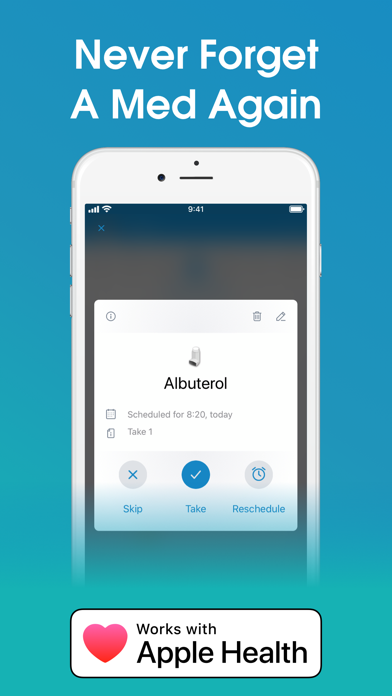
 Medisafe is a medication management app that its listing says pharmacists rank #1 out of 461 apps they tested. You enter your medications once — name, dose, frequency, and timing — and Medisafe sends reminders at the right time every day. Miss a dose and it follows up. The app also checks for interactions between your medications and flags potential conflicts, which is especially valuable for anyone managing multiple prescriptions.
The refill reminder feature tracks when you’re running low and prompts you before you run out. A caregiver connection lets a family member or carer receive notifications if doses are missed, which adds a layer of oversight without requiring constant check-ins. The interface is clear and readable, with large text and straightforward navigation throughout.
Medisafe is free to download, with optional Premium subscriptions as in-app purchases.
MyTherapy — Best for Daily Health Check-Ins

 MyTherapy goes beyond medication reminders by adding a daily health journal alongside them. Alongside tracking doses, you can log symptoms, mood, blood pressure, weight, and other measurements — building a health diary that’s genuinely useful to bring to doctor appointments. The app generates a health report you can share with your physician, which takes something that used to require careful paper notes and makes it automatic.
The reminder system is reliable and customisable — you can set different schedules for different medications, including “as needed” reminders. The interface is clean and the text is large and readable. For anyone managing a chronic condition alongside regular medications, the combination of tracking and journaling makes MyTherapy the more comprehensive option over Medisafe.
MyTherapy is free to download, with ads and optional paid upgrades (an ad-free subscription and a lifetime Plus purchase).
MyID — Best Emergency Medical ID


 MyID stores your critical medical information — blood type, allergies, current medications, emergency contacts, medical conditions, and doctor details — and lets you embed it as a QR code in your lock screen wallpaper. In an emergency where you’re unable to communicate, first responders can find this information immediately.
The app integrates with Apple Health and can display a QR code on your lock screen that emergency personnel can scan for the full profile. It also supports sharing your profile with family members through the Plus subscription. For anyone with significant medical history, allergies, or complex medication regimens, having this information accessible in an emergency is straightforwardly valuable.
MyID is free to download. A subscription unlocks additional profile features and sharing options.
Magnifying Glass + Flashlight — Best Magnifier


 The iPhone camera is an excellent magnifier — far better than a physical loupe for reading small print, pill bottle labels, restaurant menus in dim lighting, or anything else that requires a closer look. Magnifying Glass + Flashlight turns that capability into a dedicated, simple tool: open the app, point at text, and pinch to zoom up to 10x. The flashlight activates with one tap to illuminate whatever you’re reading.
The app can also save captured pictures to your library. Note that iOS also has a built-in Magnifier app (accessible via the Control Center) that covers basic use without any download required — this app adds a built-in flashlight and up to 10x zoom.
Magnifying Glass + Flashlight is free to download, with ads and an optional $1.99 Pro upgrade.
Download Magnifying Glass + Flashlight
GrandPad — Best for Simplified Video Calling


 GrandPad is designed specifically for seniors who find standard video calling apps overwhelming. It keeps things simple: video calls, photo sharing, and a family contact list. The app is a companion to the GrandPad tablet and is meant for current members of the GrandPad service. That’s it.
The app handles video and voice calls and photo sharing. Family members can push photos directly to the senior’s app, which appear automatically in a simple gallery. For older adults who have struggled with FaceTime or Zoom’s interface complexity, GrandPad’s radical simplicity is the point. It’s also useful for people with cognitive decline where interface complexity is a genuine barrier.
GrandPad is free to download. The app is intended for current members of the GrandPad service.
Zoom — Best for Calling Everyone Else


 Zoom is the video calling standard for doctor appointments, family group calls, community meetings, and virtually every other remote gathering context. It lets you host or join meetings with anyone — which makes it more universally useful, even if the interface is more involved to set up initially.
For seniors attending telehealth appointments, joining grandchildren’s school events remotely, or participating in book clubs and community groups, Zoom is effectively required. Once set up with a saved account, joining a meeting via a link is a single tap. The iPhone’s accessibility features (large text, increased contrast) carry over into the app.
Zoom Workplace is free to download, with Zoom Workplace Pro available as an in-app purchase at $16.99/month.
iPhone Accessibility Features Worth Knowing
Before downloading any third-party app, it’s worth checking what iOS already provides. Settings → Accessibility includes Display & Text Size (larger text, bold, increased contrast), Spoken Content (read-aloud for any text on screen), Voice Control (full phone operation by voice), Hearing Devices (Made for iPhone hearing aid pairing), and the built-in Magnifier (Control Center → Magnifier). Many needs are met without any additional apps at all. For vision-specific needs beyond what iOS covers, our roundup of the best iPhone apps for blind and low-vision users goes deeper.
Frequently Asked Questions
What is the easiest iPhone app for seniors to use?
GrandPad is specifically designed for simplicity — a companion app for video calls and photo sharing with your family circle. For medication management, Medisafe’s listing describes it as clean and simple.
Is there an app that makes the iPhone easier to use for elderly people?
iOS’s built-in Accessibility settings (Settings → Accessibility) handle most interface simplification without any additional app — larger text, bolder fonts, increased contrast, and simplified home screen layouts. For a more radical simplification, a dedicated simplified-home-screen tool can go further.
What is the best free medication reminder app for iPhone?
Both Medisafe and MyTherapy are free to download and offer medication reminders and dose tracking, with optional in-app purchases. MyTherapy adds health journaling at no cost, which makes it the stronger option for anyone seeing doctors regularly.
Can emergency responders access medical information on a locked iPhone?
Yes — iOS has a built-in Medical ID accessible from the lock screen (Emergency → Medical ID). The MyID app extends this with a more detailed profile and QR code access. MyID’s QR Wallpaper feature can put a QR code of your profile on your lock screen.
For more health and wellness app picks, see our roundup of the best mental health apps for iPhone and our guide to the best habit tracker apps.
Is your app on this list? Add a free "Featured on iOS App Lists" badge to your website or press kit.